


Tag-Connect, LLC
Tag-Connect TC2030-FTDI-TTL-234X-5V USB to 5 V Serial Cable (Legged or No Legs)
Tag-Connect TC2030-FTDI-TTL-234X-5V USB to 5 V Serial Cable (Legged or No Legs)
SKU: TC2030-FTDI-TTL-234X-5V
£85.00 exc VAT
Legs clip into leg latch holes on the board, so the cable stays in place hands-free. Best for development and debugging.
Fits a smaller footprint with no leg holes. For production programming and test fixtures, and for bench work when held with a TC2030-CLIP.
Check and Add to Cart
Confirm the price and stock for your selection, set the quantity, then press Add to Cart.
Payment methods
- Bank transfer
Couldn't load pickup availability
Key Features
Overview
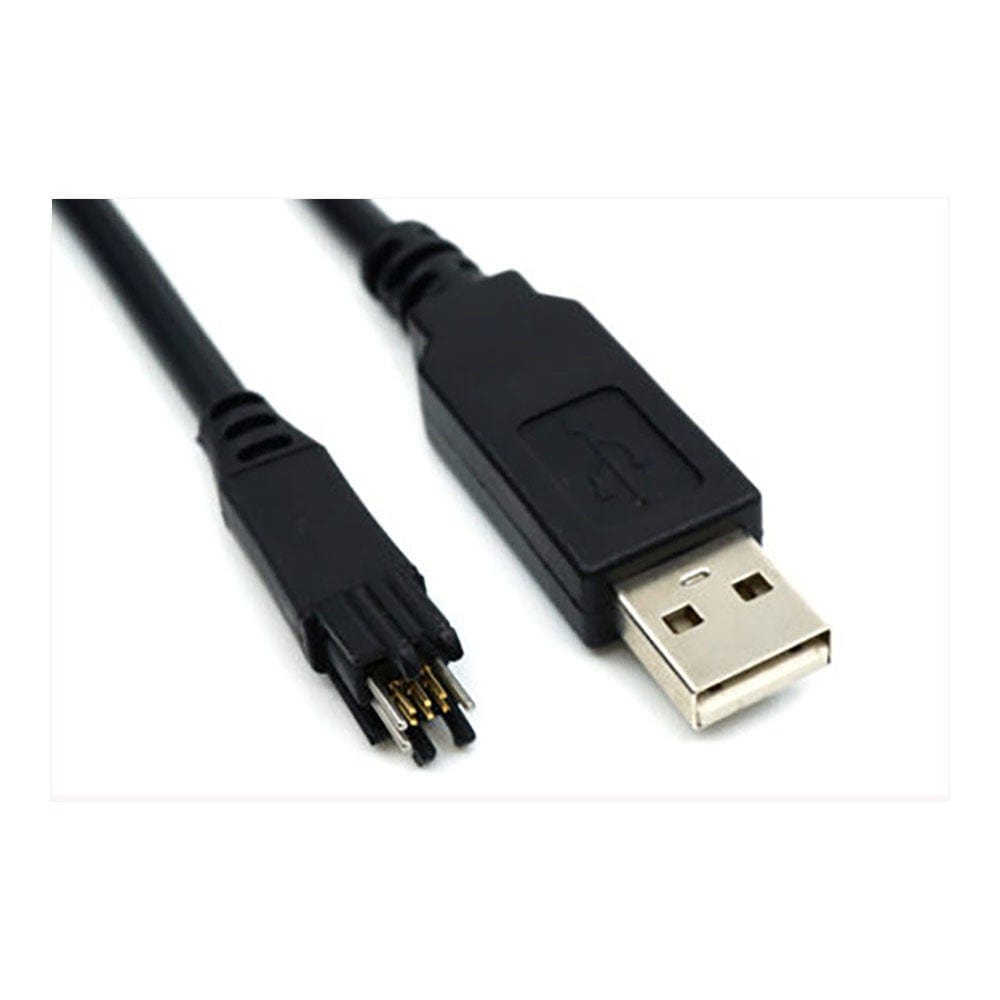
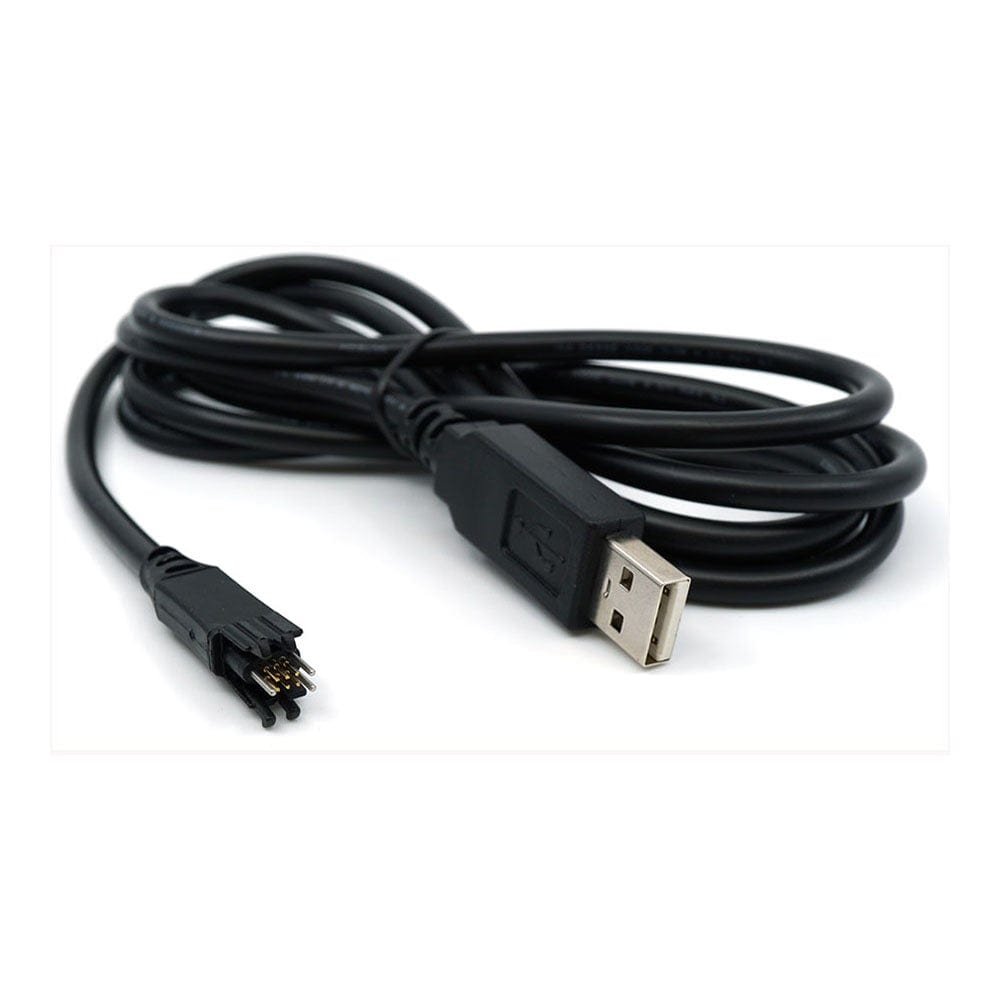
The TC2030-FTDI-TTL-234X-5V is FTDI's TTL-234X-5V USB to serial converter cable with a 6-pin TC2030 Plug-of-Nails head in place of the usual header socket. It gives a PC a 5 V UART link to six pads on your board. Pin 1 (VCC) is a 5 V output that can supply up to 450 mA.
Choose Legged or No Legs in the options above.
The Legged version clips into leg latch holes in the board and stays put while you work. The No Legs version fits a smaller footprint and suits production programming, test fixtures and bench work with a TC2030-CLIP.
Why Engineers Choose the Tag-Connect TC2030-FTDI-TTL-234X-5V USB to 5 V Serial Cable (Legged or No Legs)
5 V Serial Console
450 mA on VCC
Legged or No Legs
5 V UART Signals, 5 V at Up to 450 mA on Pin 1, No Header Needed
The TC2030-FTDI-TTL-234X-5V is FTDI's TTL-234X-5V USB to serial converter cable with a 6-pin TC2030 Plug-of-Nails head in place of the usual header socket. It gives a PC a 5 V UART link to six pads on your board. Pin 1 (VCC) is a 5 V output that can supply up to 450 mA. The No Legs version is the TC2030-NL-FTDI-TTL-234X-5V.
Options
| Option | Choice | Detail |
|---|---|---|
| Head | Legged | Legs clip into leg latch holes in the PCB, so the cable holds itself in place (TC2030-FTDI-TTL-234X-5V) |
| Head | No Legs | No leg holes, so a smaller footprint; hold by hand, with a TC2030-CLIP, or mount it in a test fixture with a TC-MOUNT-6 bracket (TC2030-NL-FTDI-TTL-234X-5V) |
Specifications
| Parameter | Value |
|---|---|
| FTDI cable | TTL-234X-5V, with an FT234XD converter inside the USB plug |
| UART signal level | 5 V (output high 4.75 V to 5.25 V, depending on the USB port; output low 0.4 V maximum) |
| VCC on pin 1 | 5 V output from USB (4.75 V to 5.25 V, set by the USB port), 450 mA maximum when plugged straight into a PC port or a powered hub |
| Data rate | 300 baud to 3 Mbaud |
| Handshaking | RTS and CTS in hardware, or X-On/X-Off in software |
| Input switching thresholds | Low at 0.8 V or below, high at 2.0 V or above |
| Data format | 7 or 8 data bits, 1 or 2 stop bits; odd, even, mark, space or no parity |
| USB | USB 2.0 Full Speed |
| Operating temperature (FTDI cable) | -40 °C to +85 °C |
| Cable length | 1.8 m (5.9 ft) nominal |
| Drivers | FTDI VCP (virtual COM port) and D2XX drivers, free to download, for Windows 7, 8, 8.1 and 10, Mac OS X and Linux 2.4 and later |
| In the box | Cable only. No retaining clip or fixture is included. FTDI's drivers are a free download. |
Pin Connections
| TC2030 Pin | FTDI Signal (Wire Colour) | Direction | Function |
|---|---|---|---|
| 1 | VCC (red) | Output | 5 V from USB, 450 mA maximum |
| 2 | CTS / TMS (brown) | Input | Clear to send handshake |
| 3 | RXD / TDI (yellow) | Input | Receive data, from your board's TX |
| 4 | TXD / TCLK (orange) | Output | Transmit data, to your board's RX |
| 5 | GND (black) | Ground | Ground |
| 6 | RTS / TDO (green) | Output | Request to send handshake |
The CTS, RXD, TXD and RTS lines also carry the TMS, TDI, TCLK and TDO names in Tag-Connect's pin table for this cable.
Check your board's voltage: this cable works at 5 V on both the signal lines and pin 1, and its outputs can reach 5.25 V. Use it only where the UART pins are 5 V tolerant. For 3.3 V logic, choose the TC2030-FTDI-TTL-234X-3V3.
PCB footprint: the standard 6-pin TC2030 footprint. Tag-Connect publishes separate Legged and No Legs footprints; the No Legs footprint has no leg holes and takes less board space. Leave the contact pads free of solder paste and keep tracks and vias out of the keep-out area.
Spring-Pin Contacts
In Tag-Connect's cycle testing, its spring pins last for well over 100,000 operations.
Who It's For
Engineers working on 5 V microcontroller boards who need a serial console or bootloader link with up to 450 mA on VCC, and six pads on the PCB instead of a UART header.
| Target | Task | Connection |
|---|---|---|
| MCU or module with a 5 V UART, or 5 V tolerant UART pins | Serial console, log output and command line | TX, RX and GND, plus RTS and CTS if your firmware uses hardware flow control |
| MCU with a UART bootloader | Firmware download over the serial bootloader | The PC sees a virtual COM port, so the vendor's bootloader tool or a terminal program talks to it directly |
| Production test station | Serial test commands and calibration | No Legs head, held in a fixture with a TC-MOUNT-6 bracket, or a TC2030-CLIP on the bench |
Compare the FTDI Cables
Tag-Connect fits the same TC2030 head to several FTDI cables. They differ in signal level, what pin 1 does and data rate:
| Cable | FTDI Cable | VCC on Pin 1 | UART Signal Level | Data Rate | Pin 2 |
|---|---|---|---|---|---|
| TC2030-FTDI-TTL-232R-3V3 | TTL-232R-3V3 | 5 V output, 75 mA | 3.3 V | 3 Mbaud | CTS |
| TC2030-FTDI-TTL-232R-5V | TTL-232R-5V | 5 V output, 75 mA | 5 V | 3 Mbaud | CTS |
| TC2030-FTDI-TTL-234X-3V3 | TTL-234X-3V3 | 5 V output, 450 mA | 3.3 V | 3 Mbaud | CTS |
| TC2030-FTDI-TTL-234X-5V (this cable) | TTL-234X-5V | 5 V output, 450 mA | 5 V | 3 Mbaud | CTS |
| TC2030-FTDI-TTL-232RG-VIP | TTL-232RG-VIP | Input: your board supplies 1.8 V to 5.25 V | Follows your board's VCC | 3 Mbaud | CTS |
| TC2030-FTDI-TTL-232RG (VREG and VSW) | TTL-232RG-VREG1V8, VREG3V3, VSW3V3, VSW5V | 1.8 V at 100 mA (VREG1V8), 3.3 V at 250 mA (VREG3V3), 3.3 V at 50 mA (VSW3V3) or 5 V at 450 mA (VSW5V) | 1.8 V, 3.3 V or 5 V, by version | 3 Mbaud | CTS |
| TC2030-FTDI-C232HD-DDHSP-0 | C232HD-DDHSP-0 (FT232H) | 3.3 V output, 250 mA | 3.3 V | 12 Mbaud | CTS |
| TC2030-FTDI-C232HD-EDHSP-0 | C232HD-EDHSP-0 (FT232H) | 5 V output, 450 mA | 3.3 V | 12 Mbaud | CTS |
| TC2030-FTDI-C232HD-DTR | C232HD-DDHSP-0 or EDHSP-0 (FT232H) | 3.3 V at 250 mA or 5 V at 450 mA | 3.3 V | 12 Mbaud | DTR |
For UART up to 12 Mbaud with no separate converter cable, see the TC2030-CIC-FT232H Chip-in-Connector, which has the FT232H inside the connector head.
Compare the Versions
| Part Number | Head | Best For |
|---|---|---|
| TC2030-FTDI-TTL-234X-5V | Legged | Development and debugging: clips in and stays connected hands-free |
| TC2030-NL-FTDI-TTL-234X-5V | No Legs | Production programming and test fixtures, or bench work with a TC2030-CLIP; smaller footprint |
Both versions use the same FTDI cable and pinout; only the head differs.
Need a different interface? See all FTDI Tag-Connect cables or our full Tag-Connect cable range.
| Ordering information | |
|---|---|
| Part number (SKU) | TC2030-FTDI-TTL-234X-5V |
| Manufacturer | Tag-Connect, LLC |
| EAN | 5055383622634 |
| Warranty | 6 months |
- 1 ×Tag-Connect TC2030-FTDI-TTL-234X-5V cable, in the version you select (Legged or No Legs)
Cable only. No retaining clip or fixture is included. FTDI's drivers are a free download.
Questions and Answers
-
What Is the Tag-Connect TC2030-FTDI-TTL-234X-5V Used For?
It gives a PC a 5 V UART link to a board through six pads in the TC2030 footprint, with no header fitted. Typical jobs are a serial console, a firmware download over a UART bootloader, and serial test commands in production.
-
Which Signals Are on the Six Pins?
Pin 1 is VCC (5 V output), pin 2 CTS, pin 3 RXD, pin 4 TXD, pin 5 GND and pin 6 RTS. RXD and CTS are inputs to the cable; TXD and RTS are outputs. The UART signals and VCC are all 5 V. RTS and CTS give hardware flow control if your firmware uses it.
-
Can I Power My Board From the Cable?
Yes, if your board runs from 5 V. Pin 1 (VCC) is a 5 V output from USB, between 4.75 V and 5.25 V depending on the port, with a 450 mA maximum when the cable is plugged straight into a PC port or a powered hub. If your board has its own supply, leave the VCC pad unconnected.
-
Can I Use It with a 3.3 V Board?
Only if the board's UART pins are 5 V tolerant. The cable's outputs can reach 5.25 V, and pin 1 is a 5 V supply. For 3.3 V logic, choose the TC2030-FTDI-TTL-234X-3V3, which has 3.3 V signals and the same 5 V, 450 mA VCC pin.
-
How Does It Differ From the TC2030-FTDI-TTL-232R-5V?
Both are 5 V USB to UART cables with the same TC2030 pin layout and a top rate of 3 Mbaud. This cable can supply up to 450 mA on pin 1; the TC2030-FTDI-TTL-232R-5V is limited to 75 mA. Choose this one if you want to power the board from pin 1 and it needs more than 75 mA.
-
How Does the Legged Version Differ From the No Legs Version?
The Legged head clips into holes in the board and holds itself in place, which suits development and debugging. The No Legs head needs no holes, so its footprint is smaller; hold it by hand for a short job, or use a TC2030-CLIP or a fixture for longer work. The FTDI cable and the pinout are the same.
No questions match your search.
