

Oscium
Oscium WiFi Interference Finder OSC2100 - Tri-Band Directional Antenna
Oscium WiFi Interference Finder OSC2100 - Tri-Band Directional Antenna
SKU: OSC2100
Couldn't load pickup availability
Key Features
Overview
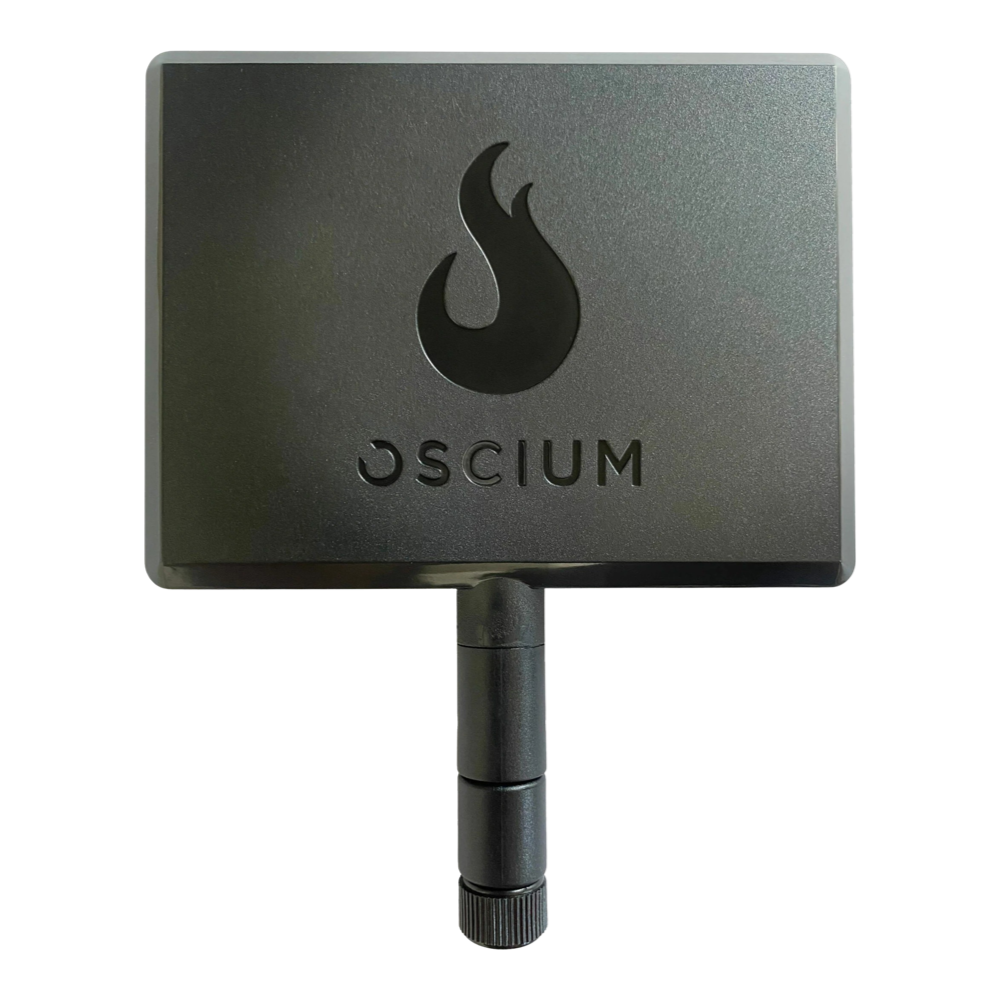
The Oscium OSC2100 WiFi Interference Finder transforms spectrum analysis from guesswork into precision science. This compact directional antenna enables engineers to locate interference sources with surgical accuracy across 2.4 GHz, 5 GHz, and 6 GHz bands. By focusing RF sensitivity in the logo-facing direction, users can distinguish between legitimate WiFi traffic and disruptive non-WiFi transmitters.
Professional wireless engineers rely on the OSC2100 for enterprise network deployments where interference identification directly impacts user experience. The antenna's tri-band coverage ensures compatibility with WiFi 6E networks while maintaining support for legacy 802.11b/g/n/ac equipment. Its lightweight design and RP-SMA connector provide universal compatibility with spectrum analysers from multiple manufacturers.
Compatible with Oscium Wi-Spy Lucid, Spectrum Bundle systems, and third-party analysers featuring RP-SMA connections. Significantly improves interference detection accuracy compared to built-in omnidirectional antennas.
Why Engineers Choose the Oscium WiFi Interference Finder OSC2100 - Tri-Band Directional Antenna
Precision Interference Hunting
Future-Proof Tri-Band Design
Universal Spectrum Analyser Compatibility
Tri-Band Wireless Interference Detection
The Oscium OSC2100 WiFi Interference Finder is a precision tri-band directional antenna specifically engineered for identifying and locating RF interference sources across 2.4 GHz, 5 GHz, and 6 GHz frequency bands. This professional-grade tool enables network engineers to pinpoint non-WiFi disruptors affecting wireless performance in modern WiFi 6/6E/7 environments.
Technical Specifications
| Parameter | Specification |
|---|---|
| Frequency Coverage | 2.4 GHz / 5 GHz / 6 GHz (Tri-band) |
| Antenna Gain | 5-8 dBi (frequency dependent) |
| Connector Type | RP-SMA male |
| Radiation Pattern | Directional (logo-facing orientation) |
| Dimensions | 3.2" × 2.5" × 0.5" (81mm × 64mm × 13mm) |
| Weight | 0.875 lbs (400g) |
| Operating Temperature | -20°C to +70°C |
Directional Interference Detection
Unlike omnidirectional antennas that receive signals from all directions, the OSC2100 employs a focused beam pattern for precision interference hunting. Engineers align the antenna's Oscium logo toward suspected interference sources to achieve maximum directional sensitivity. This technique significantly reduces false positives from background RF noise while amplifying signals from the target direction.
WiFi 6E/7 Compatibility
The OSC2100's tri-band design ensures compatibility with legacy and next-generation wireless standards. Coverage extends across the new 6 GHz WiFi 6E spectrum (5.925-7.125 GHz) in addition to traditional 2.4 GHz and 5 GHz bands. This future-proofs the antenna for emerging WiFi 7 deployments utilising 320 MHz channel bonding.
Quick Start Connection Guide
1. Power down spectrum analyser 2. Remove existing omnidirectional antenna 3. Thread OSC2100 onto RP-SMA connector (hand-tight) 4. Power on analyser and configure for desired band 5. Point logo toward suspected interference source 6. Monitor signal strength while rotating antenna Common Interference Sources Detected
- Microwave ovens - 2.4 GHz broadband noise during operation
- Bluetooth devices - Frequency-hopping patterns in 2.4 GHz ISM band
- Cordless phones - Continuous or periodic transmissions
- Wireless cameras - Video link interference across multiple bands
- Industrial equipment - Arc welders, motors with poor EMC compliance
- Rogue access points - Unauthorised WiFi transmitters
| Ordering information | |
|---|---|
| Part number (SKU) | OSC2100 |
| Manufacturer | Oscium |
| EAN | 5055383613588 |
| Warranty | 12 months |
| Shipping weight | 0.1 kg |
-
1 ×
 Oscium WiFi Interference Finder OSC2100 - Tri-Band Directional Antenna

Contact us to confirm the full contents of the box.
Questions and Answers
-
What Are the Physical Dimensions and Weight Specifications of the OSC2100?
The OSC2100 measures 5 x 4 x 0.5 inches (approximately 127 x 102 x 13 mm) and weighs 0.875 pounds (approximately 400 g), so it is easy to carry and use for long interference hunting sessions.
-
Can the OSC2100 Detect WiFi 7 Interference and 320 MHz Channel Activity?
Yes, for the antenna side. The OSC2100 covers the 6 GHz band used by Wi-Fi 6E and Wi-Fi 7, and it works with the Wi-Spy Lucid, which analyses 5925-7125 MHz. Oscium specifies the antenna for the 2.4, 5 and 6E bands, so check the analyser you pair it with for its own coverage.
-
What Environmental Conditions Can the OSC2100 Withstand During Field Use?
Oscium doesn't publish an operating temperature range for the OSC2100. For warehouses, manufacturing facilities or outdoor installations, check the conditions against the rating of your analyser, and ask us if you need help.
-
Does the OSC2100 Work Effectively for Indoor and Outdoor Interference Detection?
Yes, it works in both. Indoors, the directional pattern helps isolate interference sources in RF-dense places such as offices and healthcare facilities. Outdoors, it helps you track down rogue access points and unlicensed transmitters.
-
How Does the OSC2100 Integrate with the Oscium Spectrum Bundle for Professional Troubleshooting?
The OSC2100 is the directional antenna in Oscium's RF analysis toolkit. Paired with the Spectrum Bundle, which includes Wi-Spy Lucid and Chanalyzer software, it gives you interference detection plus reporting tools for client documentation and network optimisation recommendations.
-
What Frequency Bands Does the OSC2100 WiFi Interference Finder Cover?
The OSC2100 covers three bands:
- 2.4 GHz
- 5 GHz
- 6 GHz (6E)
This covers the 2.4, 5 and 6 GHz Wi-Fi bands, including 6E.
-
How Does Directional Antenna Operation Improve Interference Detection Compared to Omnidirectional Antennas?
Directional antennas focus RF sensitivity in one direction, typically with 5-8 dBi of gain toward the target, and reduce sensitivity from other directions. This helps you separate interference sources from background noise and triangulate problem transmitters more accurately in dense RF environments.
-
Is the OSC2100 Compatible with non-Oscium Spectrum Analysers?
Yes. The OSC2100 has an RP-SMA connector and works with Oscium and non-Oscium equipment that has an RP-SMA antenna port. No proprietary interface is needed.
-
What Types of Interference Sources Can the OSC2100 Effectively Locate?
Paired with a spectrum analyser, the OSC2100 helps you locate any transmitter strong enough to disrupt Wi-Fi, including:
- microwave ovens
- cordless phones
- wireless cameras
- industrial equipment with poor EMC compliance
- rogue access points
-
How Do I Properly Align the OSC2100 for Maximum Directional Sensitivity?
Point the Oscium logo directly at the suspected interference source, where sensitivity peaks. To hunt for interference, rotate the antenna while watching signal strength on your spectrum analyser, and find the direction of maximum amplitude.


No questions match your search.