
Lineeye Co Ltd
Lineeye LE-2500XR(V2)-E Multi Protocol Analyzer
Lineeye LE-2500XR(V2)-E Multi Protocol Analyzer


SKU: LE-2500XR(V2)-E
Payment methods
- Bank transfer
Couldn't load pickup availability


Overview
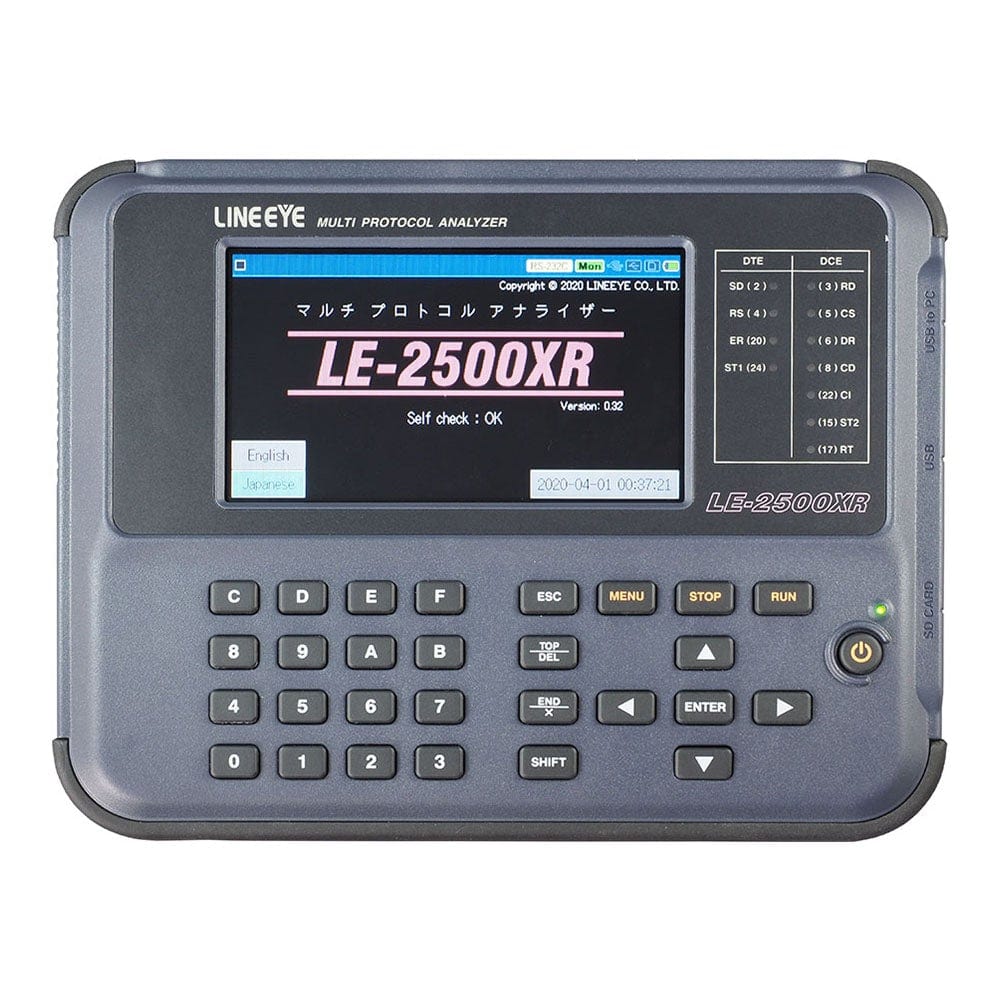
The Lineeye LE-2500XR-E is a standard model of a stand-alone communication protocol analyzer which has a touch panel colour display and adopted lithium-ion battery while inheriting all the functions of the conventional model LE-2500/LE-2500R which have the monitor function, simulation function, and bit error rate test function necessary for communication analysis test.
Downloads
User Manuals
- Details
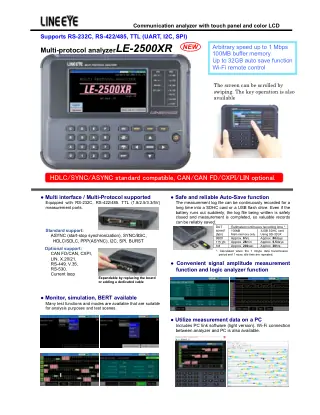
 Lineeye LE-3500XR(V2) and LE-2500XR(V2) Manual
Equipped with a colour LCD display
This model has a 4.3-inch colour touch display with a wide viewing angle. The communication data which can be displayed on one screen has increased compared to the conventional model, and the colour monitor makes the line monitor display easier to see. In particular, the visibility of the line state signal display and error data display has dramatically improved.
Monitor example of normal data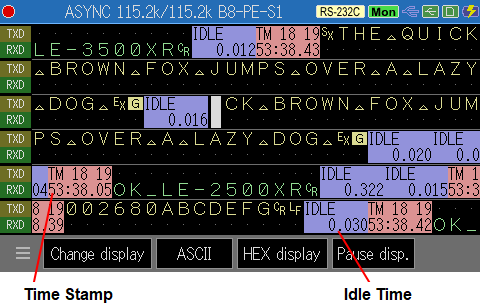
Monitor example of data with errors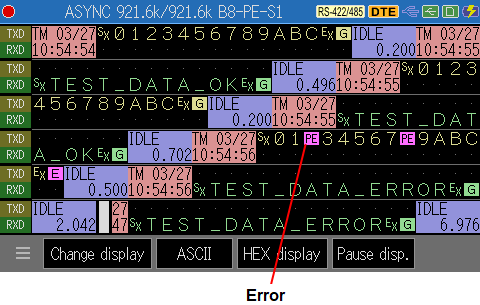
Line state display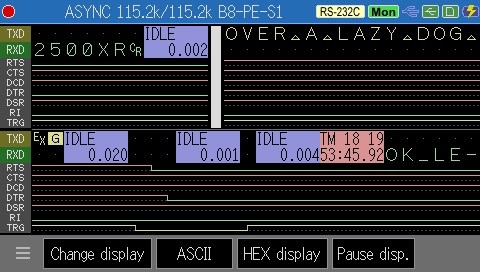
Logic analyzer display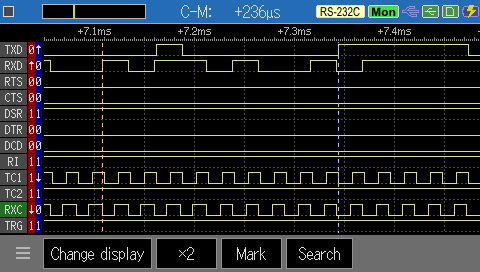
Time Stamp Display
Date/time unit "year/month/day hour:minute", "month/day hour:minute:second", "day hour:minute:second.10msec", etc. can be specified.
Idle Time Display
Time resolution 100msec, 10msec, 1msec can be specified
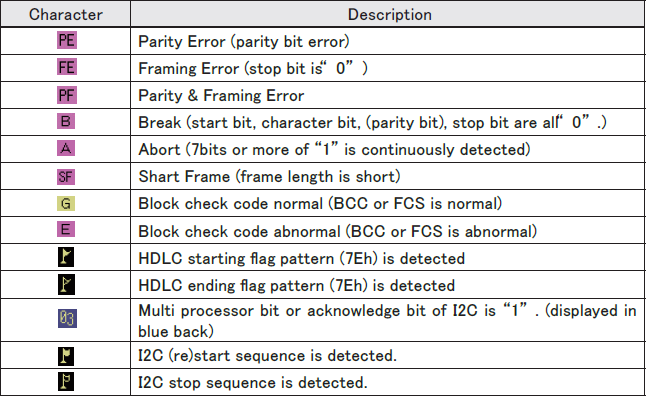
Error and Specific Data Display
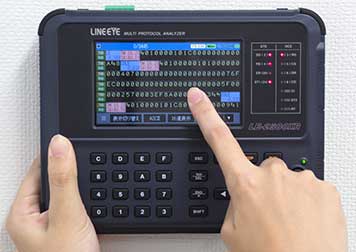
Hybrid operation of capacitive touch panel and physical key switch
The capacitive touch panel offers intuitive touch selection and swipe operations like a smartphone. it supports key switch operation for when wearing gloves. The key operation similar to the conventional model is inherited as the shortcut key operation
Swipe to scroll monitored communication data up/down/left/right
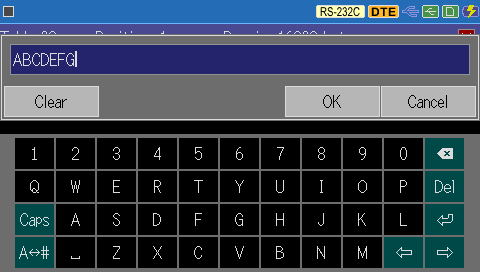
Efficient text input by using the full keyboard displayed on the screen
Shortcut keys example
[MENU] and [0] Configuration display
[MENU] and [2] Trigger display
[MENU] and [4] Waveform monitor setting
[MENU] and [9] Data table selection display
Key operation is useful for some functions
In the MANUAL simulation mode, in which communication test data is assigned to the keys and the communication response of the device under test is checked on the screen while the test data is sent by key operation, the key operations is useful as the monitor display screen can be widely used.
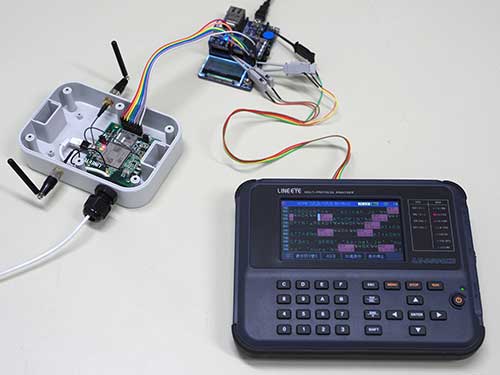
Example of LE-2500XR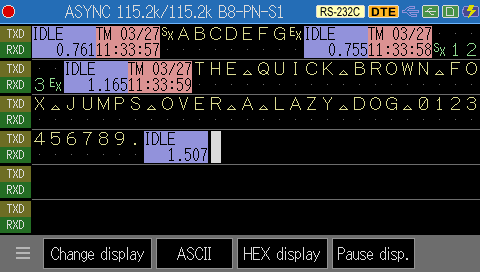
Supports multiple communication protocols and interfaces
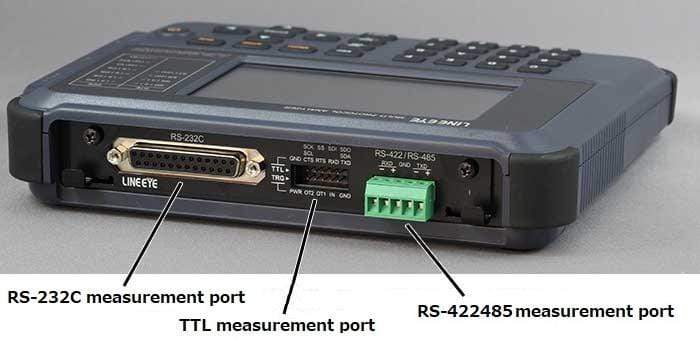
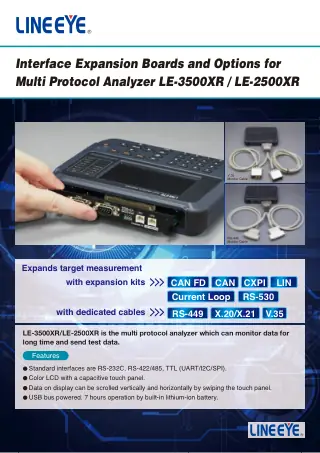
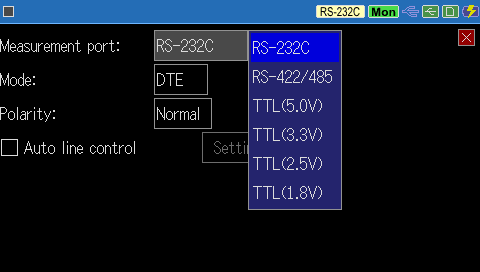
This model supports the measurement of RS-232C, RS-422/485, and TTL (1.8V-5V system) signal level UART communication, I2C, and SPI. A wide range of options are available to extend the measurement function to legacy ports such as X.20/21 and V.35, current loop communication, and in-vehicle communication such as CAN, CAN FD, LIN, and CXPI.
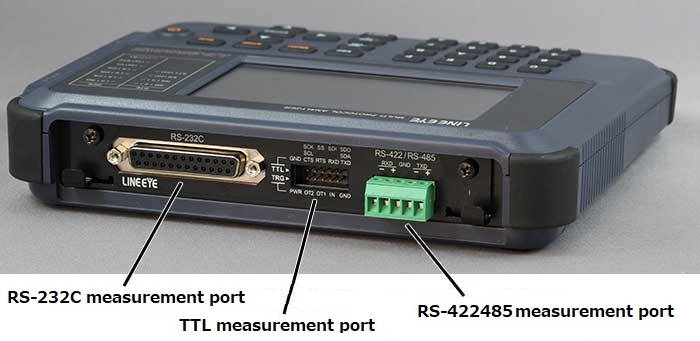
The TTL measurement port supports external trigger input/output
This external trigger input/output terminal can be used for 1.8V/2.5V/3.3V/5V signal level UART communication, I2C, SPI measurement and measurement linked with an external measuring instrument.
TTL measurement port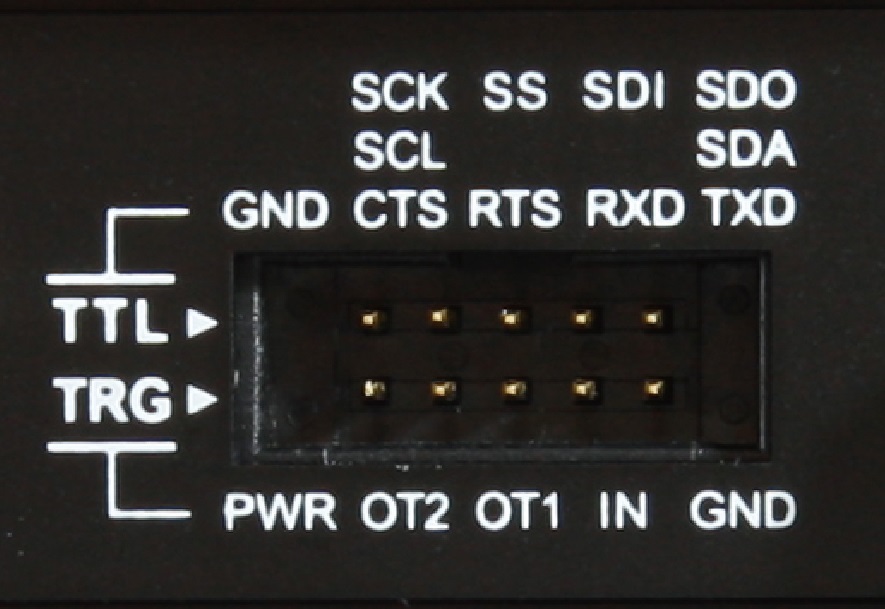
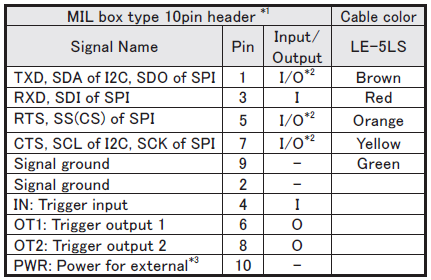
*1: 2.54mm pitch, HIF3FC-10PA-2.54DS(71) Hirose Electric equivalent
*2: Output during simulation, but SS and SCK are input during SPI slave
*3: Output the specified voltage of TTL port during simulation (maximum 30mA)
5-wire TTL Connection Cable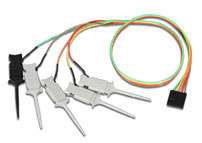
It can be used for the connection of TTL communication signals and external trigger signals.
If you use both at the same time, please purchase extra.
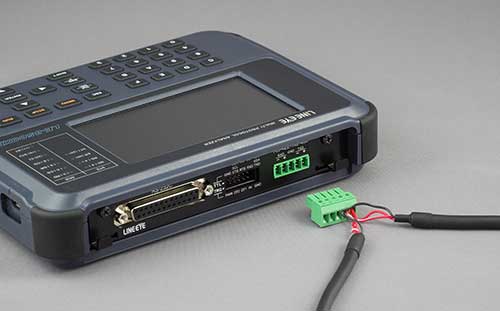
The RS-422/485 measurement port is a removable terminal block
The RS-422/485 cable can be directly connected to the port. When you temporarily need to disconnect the analyzer from the monitor line, you do not need to screw off the cable, you just need to detach the terminal.
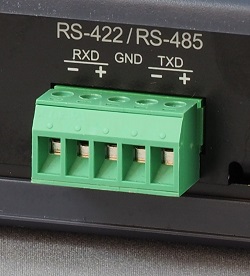
RS-422/485 interface setting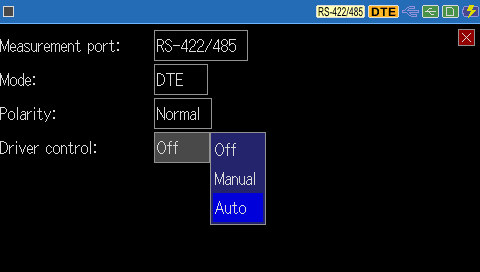
RS-485 Connection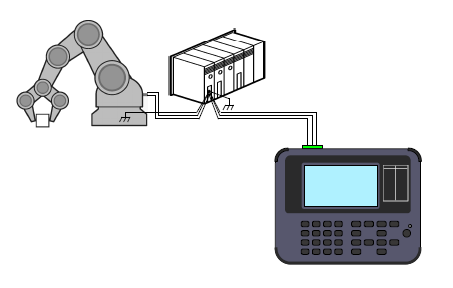
Supports DSUB 9-pin and DSUB 25-pin of RS-232C as standard
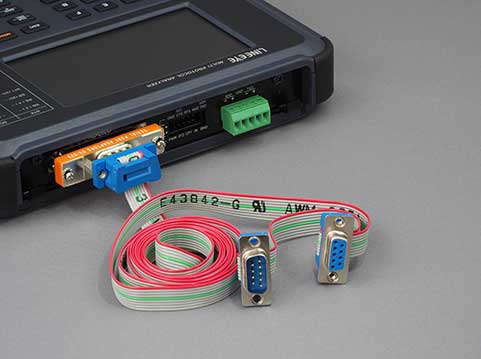
The RS-232C measurement port adopts the DSUB25 pin where the transmission/reception synchronization clock signal is arranged. As the product includes a DSUB 25-pin monitor cable, DSUB 25-pin to 9-pin conversion adapter, and DSUB 9-pin monitor cable, it can be connected to both DSUB 25-pin and DSUB 9-pin of an RS-232C device.
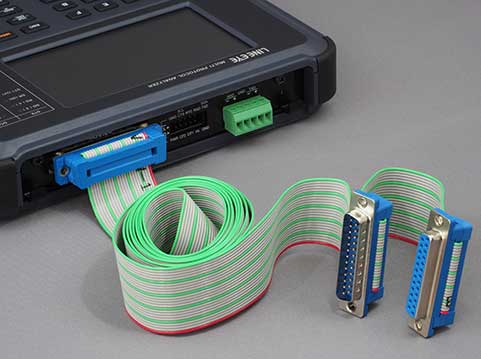
Line Monitor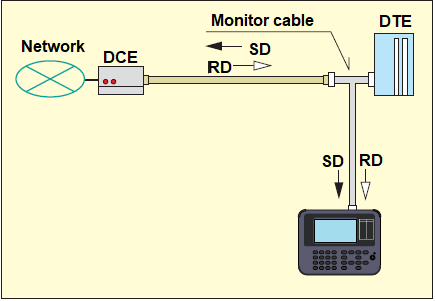
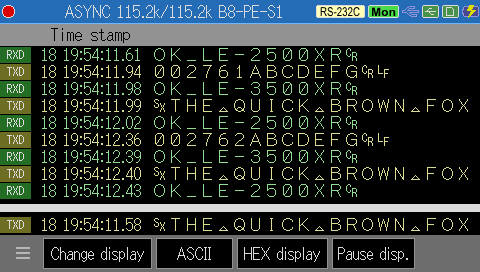
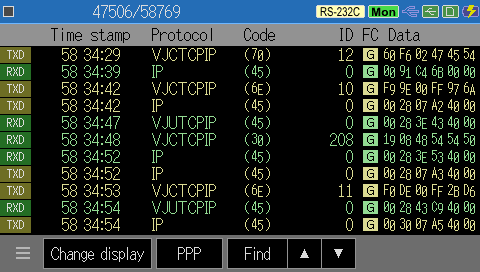
Various line monitor displays according to the communication protocol
Flexible support for ASYNC asynchronous communication from legacy to present
It can monitor asynchronous communication in which one data consists of a start bit, data bits (5 to 8 bits), parity bit (none, odd number, even, mark, space, or multiprocessor bit definition MP), and stop bit (1, 2 bits).
The MSB first transfer of the legacy protocol can be selected, and the suppression (removal) of the flag character is supported by the ASYNC-PPP protocol.
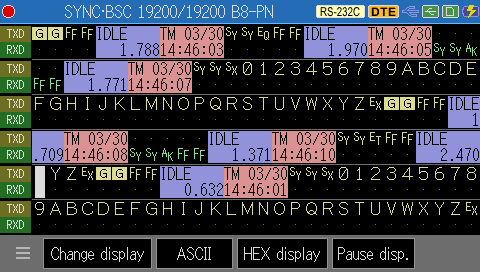
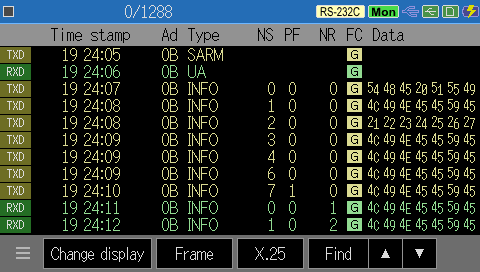
Bit synchronous communication such as character synchronous communication and HDLC
BSC communication synchronized with the SYNC character and HDLC/SDLC synchronized with the flag bit can be measured. It supports BCC/FCS (block check code/frame check sequence) judgment and HDLC address filters. NRZ, NRZI, FM0, FM1 data modulation formats can be selected.
You can easily monitor SPI and I2C of TTL level communication
You can easily monitor I2C and SPI communication used in sensor modules, AD conversion ICs, memory ICs, etc. Also, transmission/reception tests can be performed on the master side or slave side.
I2C monitoring example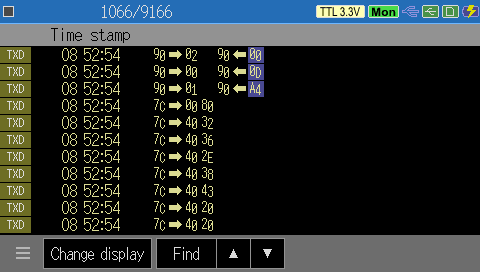
SPI monitoring example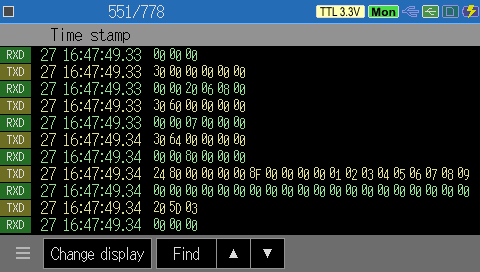
Logic analyzer function and signal voltage measurement function
The analyser has a logic analyzer function that can measure the timing of communication lines with a time resolution of up to 50 nsec. It also has a function to measure RS-232C signals and TTL voltage amplitude which are difficult for testers to hit.
Timing waveform example (logic analyzer display)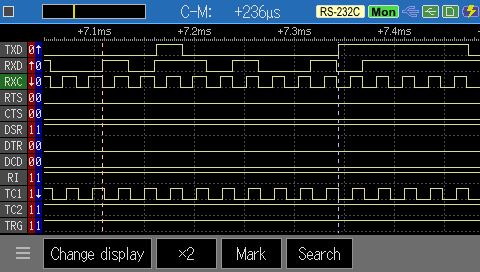
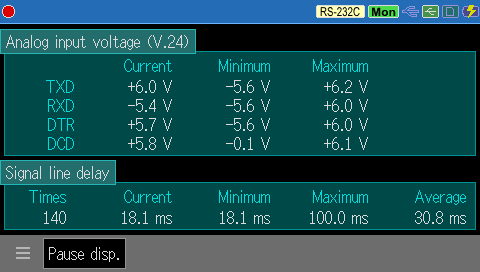
Mega-speed measurement, arbitrary speed can be set with 4 significant figures
It supports half-duplex/full-duplex line monitors up to 2.048 Mbps, simulation transmission test, and BERT measurement. As it has a high-precision DPLL circuit, you can set any communication speed (baud rate) of 50 bps to 2.048 Mbps separately for transmission and reception with 4 significant digits. Therefore, it is possible to support devices with special communication speeds, and it is also possible to intentionally send test data with slightly different communication speeds from this analyzer to evaluate the speed margin of the device under test.
Communication speed setting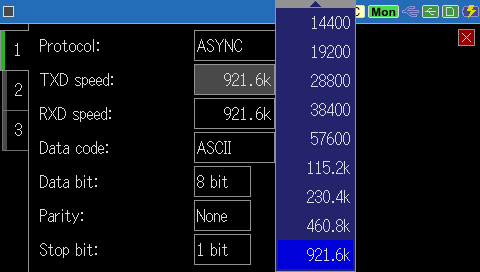
Arbitrary speed setting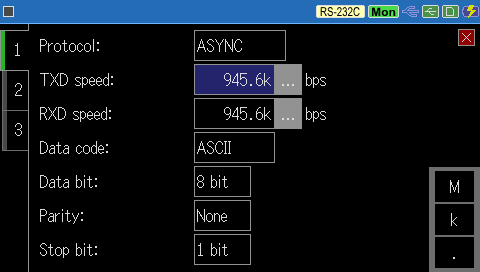
Long time recording by AUTO SAVE function
By using the autosave function, you can save communication data to SDHC card or USB memory continuously for a long time. As the data is saved in multiple log files of the specified size (#nnnnnnn.DT: n is a sequential number in the order of saving), you can narrow down the communication logs of before and after the failure from the timestamp of the file in the time zone when the communication failure occurred.
Safely records measured communication files even if the battery runs out suddenly
In the conventional model, if the power is turned off while recording the communication log file, the file may be damaged and communication data cannot be analyzed. With this model, even if the internal battery is exhausted after a bus power failure, the communication status up to that point can be safely saved in a file.
*: When you use an extremely depleted battery, the file protection process for right before the battery run out may not be in time and the file may be damaged.
| Target Line Speed (bps)*1 | |||
|---|---|---|---|
| Main memory only | Using 8GB external memory*2 | Using 32GB external memory*2 | |
| 9600bps | Approx. 6hrs. | Approx. 20days | Approx. 80days |
| 115.2Kbps | Approx. 28min. | Approx. 37hrs. | Approx. 6.5days |
| 1Mbps | Approx. 200sec. | Approx. 5hrs. | Approx. 20hrs. |
*1: When 1-kilobyte data is repeatedly transmitted by full-duplex with intervals of 1m second idle time for each. Both transmission and reception data consume 4 bytes of memory for each capture.
*2: When using SD-8GX and SD-32GX (optional)
| Saving the captured data to USB flash or SD card | External memory up to 32GB |
|---|---|
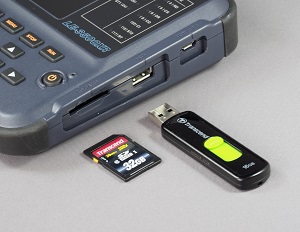 |
Supports optional SD card (such as SD-32GX) or USB flash |
Added a mode to prevent overwriting of communication log files
Besides the Restart mode - the communication log files are recorded up to the specified number of files, the communication log file with the smallest file number is deleted and the communication data is endlessly recorded in a new communication log file - and the Append mode - measurement starts from the continuation of the existing communication log file -, the MAX stop mode - automatically stops the measurement after recording the specified number of communication log files - has been added.
Auto Save setting screen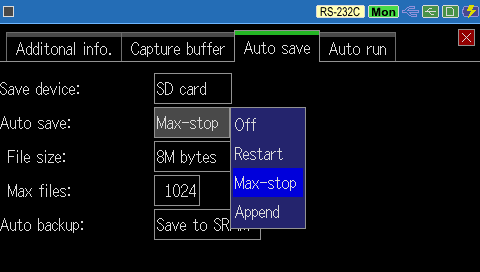
AUTORUN automatic measurement function - convenient for unattended measurement
It can automatically execute a measurement for the specified period by specifying the date and time of measurement start and end.
Auto RUN setting screen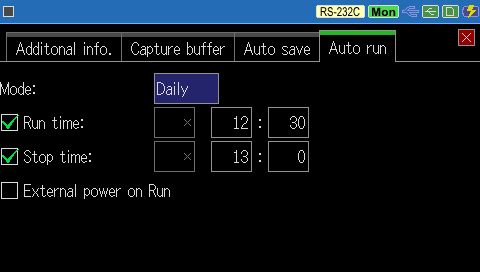
With the settings on this screen, measurement starts every day at 12:30 and automatically ends at 13:00.
4 modes of simulation function
The analyzer has a 4-mode simulation function in which it performs transmission and reception tests as a communication partner of the device under test.
Connection image of RS-422 simulation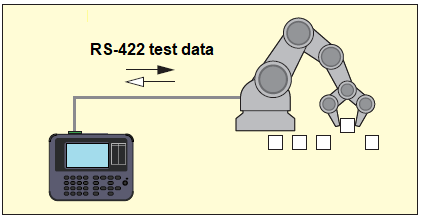
Connection image of I2 Simulation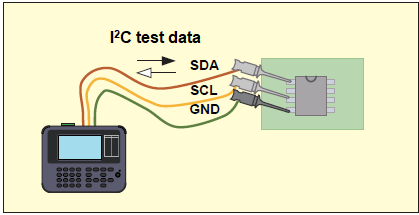
■ MANUAL mode
You can send the test data registered in the transmission data table of [0] to [F] of 10 groups by pressing the [0] to [F] keys. In this mode, you can easily test the communication procedure by key operation while on the monitor screen checking the response from the target device in development.
■FLOW mode
In this mode, flow control procedures such as X-on/off or RTS-CTS of asynchronous communication are simulated on the transmitting side or the receiving side. You can check whether the device under test is operating correctly in response to the transmission interruption request.
■ECHO mode
In this mode, the received data is returned inside the unit and returned. It can be used for a communication test with a terminal in echo back mode and as a BERT loopback point.
■POLLING mode
In this mode, the analyzer operates for simulation as a slave side or a master side in the multi-drop (1:N connection) polling communication procedure. You can test the procedure including the error checking process without writing a program.
Equipped with BERT function comparable to a dedicated machine
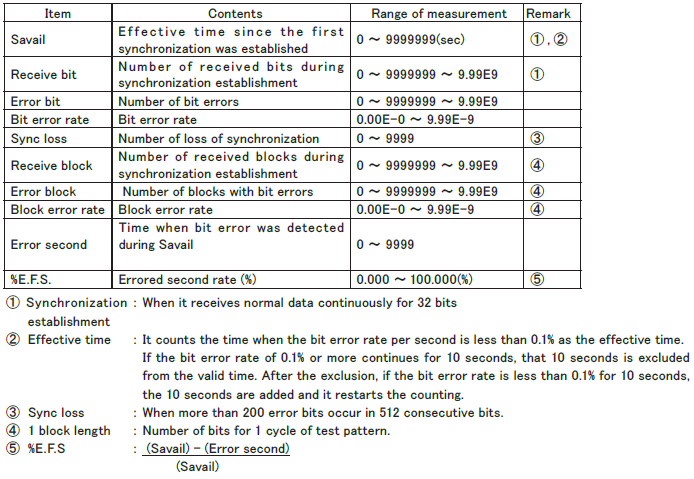
It is equipped with a bit error rate test function that can measure the communication error rate with parameters compliant with ITU-T Recommendation G.821, and can evaluate the quality of the communication line and isolate fault points.
Loopback Test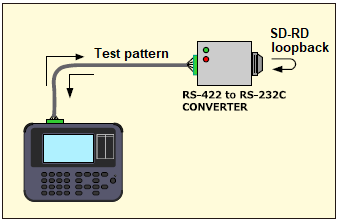
Connection of Bi-directional Test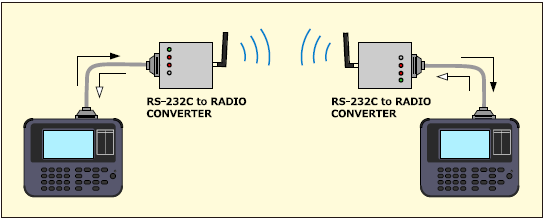
BERT Setting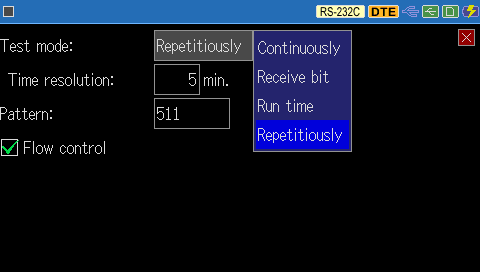
BERT Execution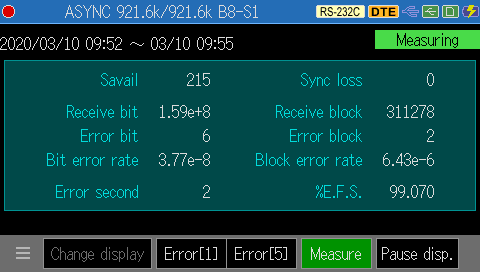
Full use of measurement data by PC connection
The PC link software is attached
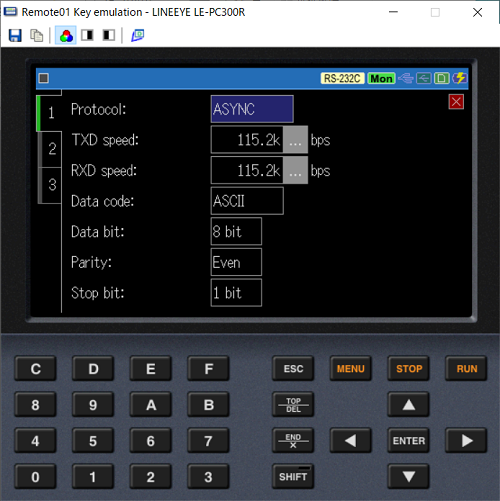
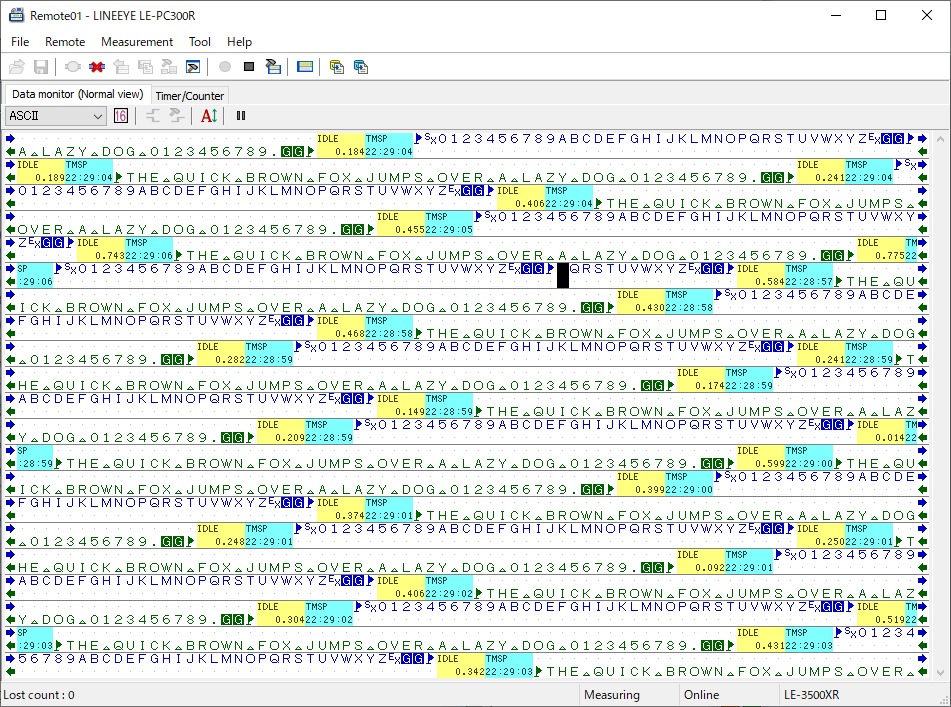
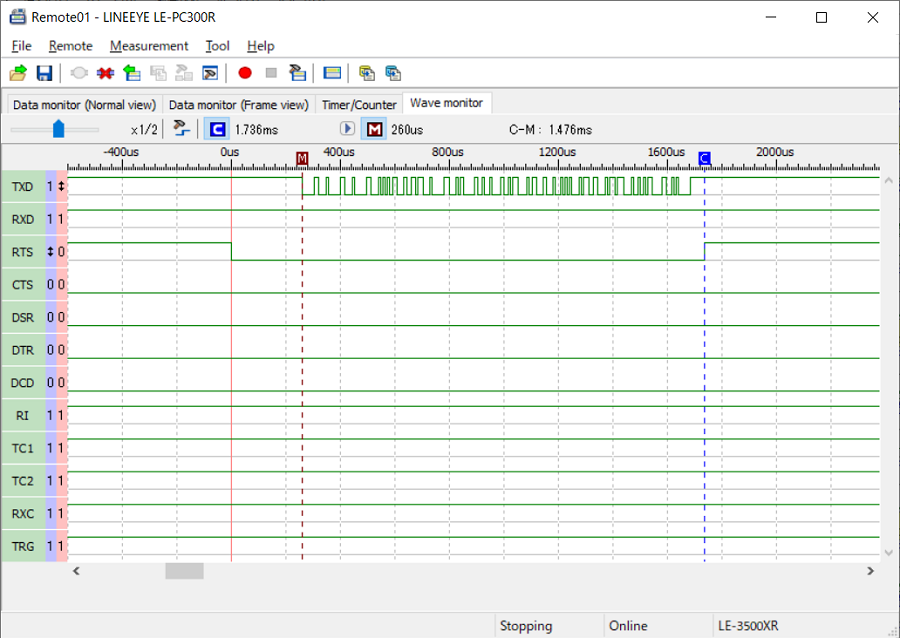
By using the included PC link software LE-PC300R (light), you can utilize the measurement data on your PC.
■ Offline data display/text conversion
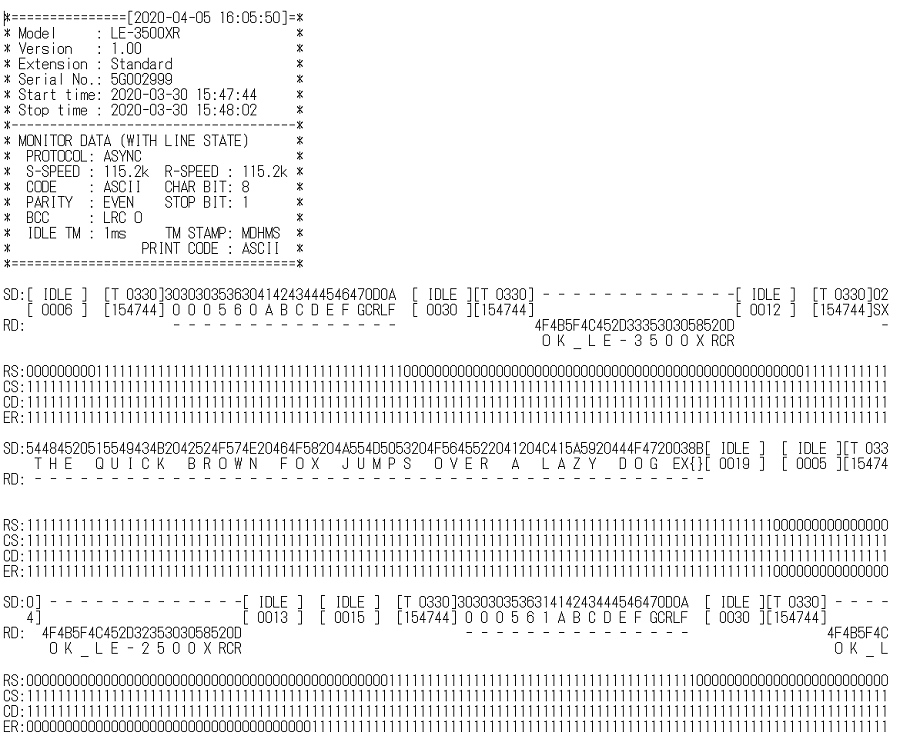
By connecting an SDHC card or USB memory (in which measurement data files are saved) to a PC, you can open and display multiple data files on the PC at the same time or convert the file to .text / .CSV file. Of course, you can also analyze the data file sent by email from another department.
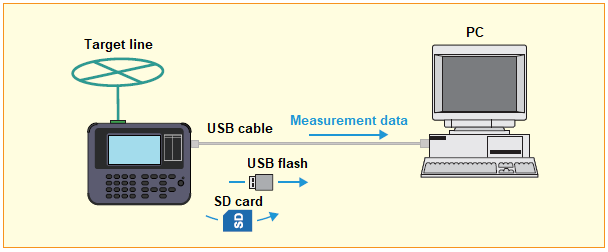
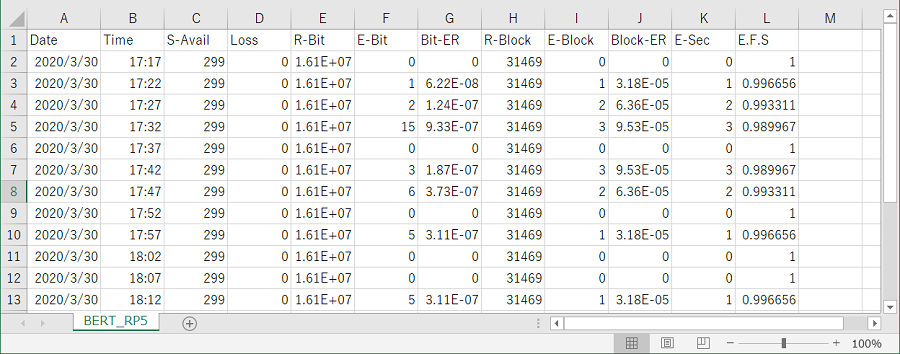
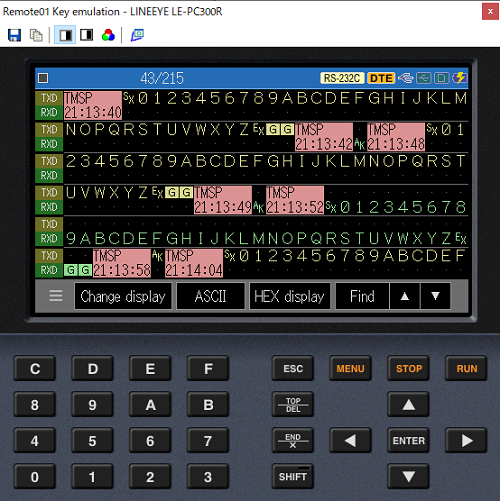
■ Records measurement data on PC via remote connection
By connecting the analyzer to a PC with USB or Wi-Fi, you can remotely control the communication analyzer from the PC or remotely monitor the measured data of the communication analyzer. When connecting via Wi-Fi, you can select the station mode (when connecting via an external Wi-Fi access point) or the access point mode (when connecting directly to the analyzer which acts as a W-Fi access point).
Station Mode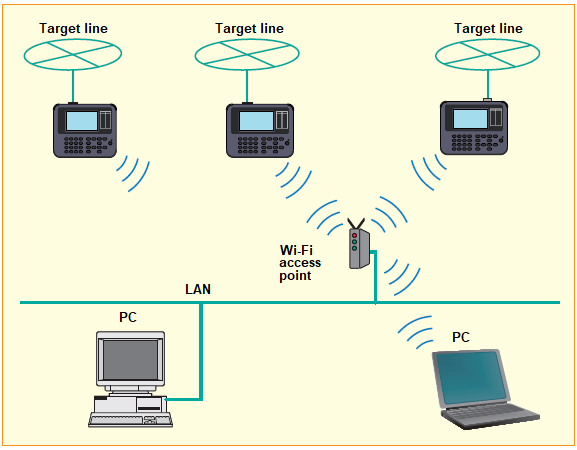
Multiple analyzers can be controlled at the same time from one PC to which the PC link software is installed. You can also access the analyzer from a desktop computer connected to an external Wi-Fi access point connected to the LAN.
Access Point Mode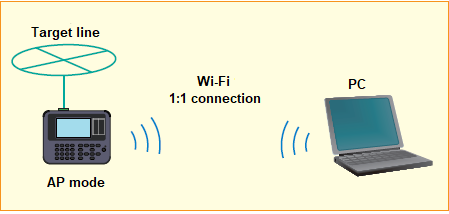
The computer and analyzer have a 1:1 connection, which is convenient when an external Wi-Fi access point cannot be used.
*: Wi-Fi function is available only in Japan, USA, Canada, and EU nations where the product is needed to be compliant with RE directive (2014/53/EU).
Obtain the communication log file while continuing measurement
By using the LE file downloader (lefiledownload.exe) which can be downloaded free of charge from the LINEEYE website, you can connect the analyzer and a PC via Wi-Fi and obtain the communication log file (saved in the storage device inserted to the analyzer) to the PC. The imported communication log file can be opened and displayed by PC link software for analysis.
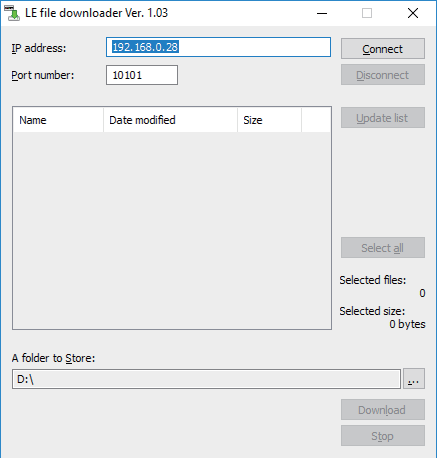
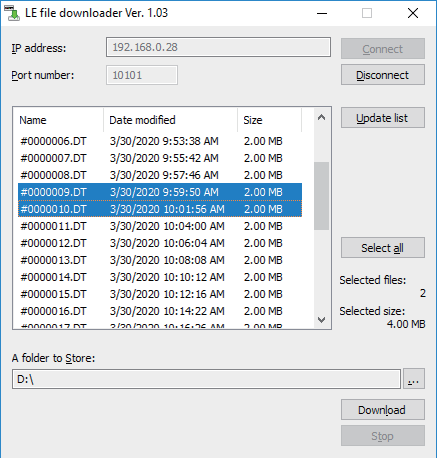
*: The communication log file in the saving process by the autosave function cannot be downloaded.
Firmware update
The latest firmware with new features and improvements will be posted on our website. If you download it to your computer, you can easily update it to the latest version via a USB cable.
Full of functions to improve measurement efficiency
Auto-Configuration Function
It analyzes the received communication data and can automatically sets basic measurement conditions such as communication speed, character framing, data code, synchronization character, BCC/FCS, etc.
* Automatic setting is available only for ASYNC, SYNC/BSC, HDLC/SDLC. If the communication data volume is small or the data has many errors, it may not be able to configure correctly.
* The maximum supported speed of automatic setting is 460.8kbps.
Auto-Configuration Start Setting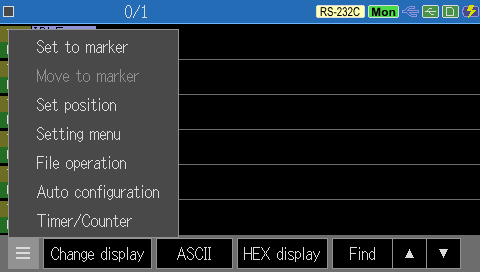
Auto configuration condition Set Display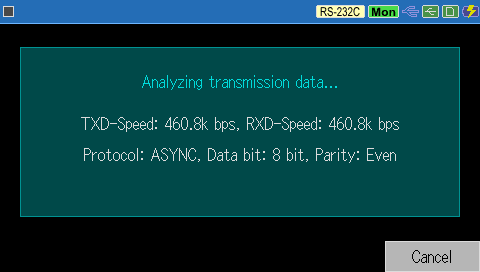
The trigger function supports an external trigger
Trigger function that can specify up to 4 sets of conditions such as transmission and reception of specific data and measurement action after the condition is satisfied. It is very useful for investigating intermittent failures often found in communication systems. As you can specify the meet of a trigger condition as the other trigger condition, you can analyze the complex event involving sequence-like condition determination. Using the external trigger input/output, you can use the analyzer in combination with external device contacts and external measuring instruments such as oscilloscopes for various situations.
Trigger Condition Setting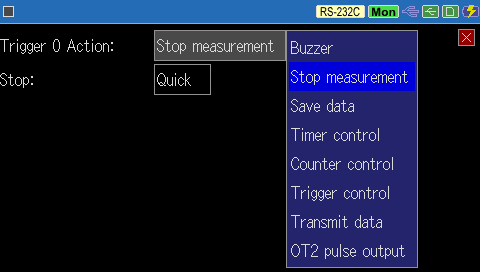
Trigger Action Setting
Trigger Setting Summary Display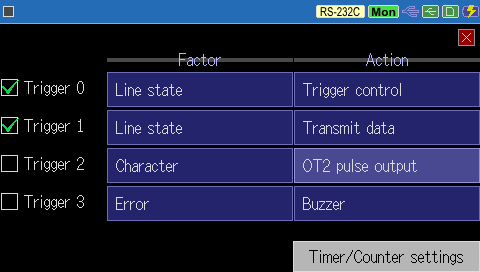
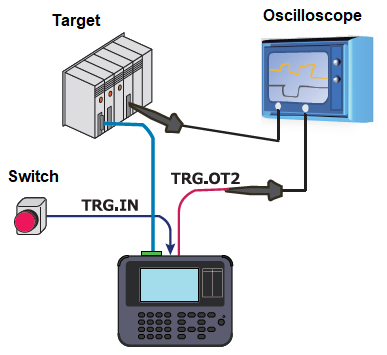
When the switch is turned on (external trigger input is L), the character string ABC is sent, and when the character string 123 is received as a response, the trigger signal (external trigger output 2) is supplied to the oscilloscope.
Trigger 0 and 1 are enabled, external trigger input 0 of line state is set for both factors, trigger 2 is enabled by trigger 0 action, and data transmission is set for trigger 1 action. Set the detection of the character string 123 to the trigger 2 factor and the OT2 pulse output to the trigger 2 actions.
Set it to the simulation MANUAL mode and register the character string ABC in the send data table.
Offline analysis and data search
The measured data can be freely scrolled by swiping the screen. You can mark the data you want to read, scroll the display, and then return to the mark position with one touch. The powerful search function can display and count error data, specific character strings, time stamp data in a specified range, etc.
Data string search setting Example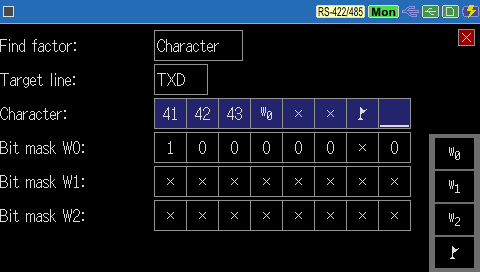
Time Stamp range setting example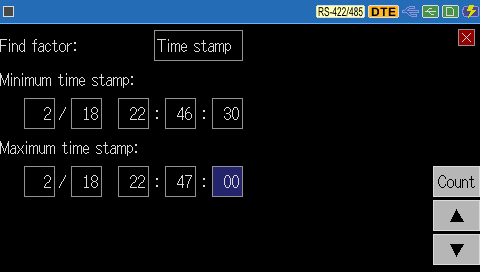
Auto backup function
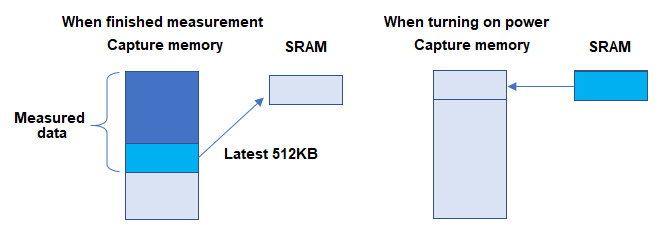
In addition to 100 MB of capture memory, it has a built-in battery-backed SRAM area. At the end of measurement, the latest measurement data of approximately 512 Kbytes is automatically backed up in this SRAM area and automatically loaded to the capture memory when the power is turned on. This allows you to use it as if you were using an old model in which the measured data did not disappear when the power was turned off.
PC-Compatible File Management
The analyzer setting data and measurement data can be saved in the SDHC card or USB memory as a FAT management format file compatible with a PC. Of course, since files can be used interchangeably between each model, you can use the measurement data saved by a LE-2500XR on-site and analyze it in detail by the LE-3500XR in the development department.
* Measurement data files can be used mutually between LE-8200(A)/LE-3500(XR/R)/LE-2500(XR/R)/LE-1500(R). However, some files and data may not be available when using a file saved by a higher model on a lower model and when using a file saved on a new model on a conventional model. Also, files saved with extended options with different firmware cannot be used because the data is incompatible.
File Management Display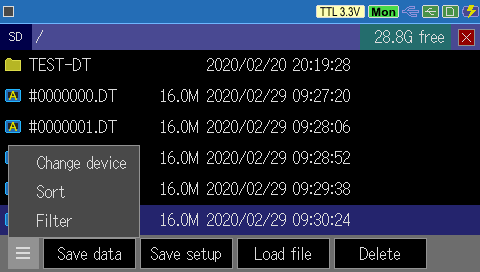
File Control Display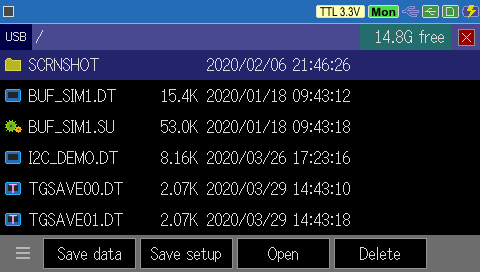
You can check the type, name, size, and creation date/time of the saved file by switching the storage device for the file operation.
| File type | Measured data (.DT), Trigger save data (TG SAVEnn.DT), Auto save ata (#nnnnnnn.DT), Setting data (.SU) |
|---|---|
| File operation | Normal file display, filter display and sorting display by specified type, save, load, delete |
File Filter Setting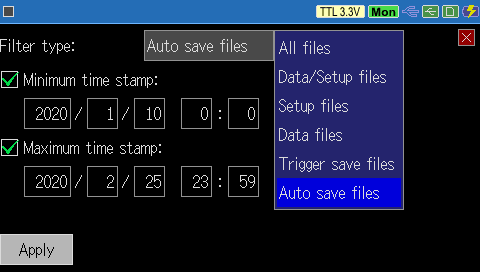
When many files are saved, you can specify the file type you want to display on the file operation screen at the file filter setting screen.
This screen shows the setting to display only the files automatically saved by the autosave function from 0:00 January 10, 2020 to 23:59 February 25, 2020.
Bus-powered. Built-in Lithium-ion Battery
You can power the analyzer by bus power from the micro USB connector and charge the built-in lithium-ion battery. The battery can be operated continuously for 7 hours, thus there is no need to worry even in places where AC power is difficult to use.
Using An External Power Adapter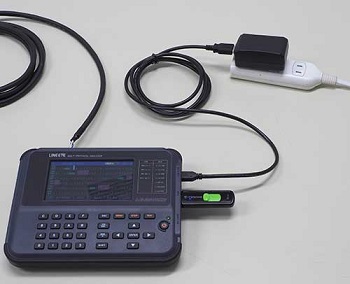
Using an External Battery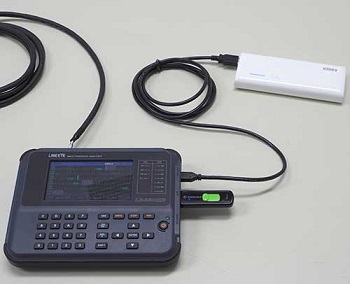
You can extend the battery life by using a commercially available 5V mobile battery.
(With a 13,000mAh mobile battery it can operate for more than 30 hours continuously)
| Ordering information | |
|---|---|
| Part number (SKU) | LE-2500XR(V2)-E |
| Manufacturer | Lineeye Co Ltd |
| EAN | 5055383628834 |
| Warranty | 12 months |
| Shipping weight | 5.0 kg |
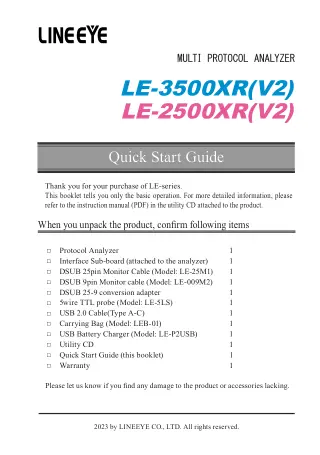
- 1 ×LE-2500XR(V2) protocol analyser
- 1 ×Interface sub-board (attached to the analyser)
- 1 ×D-sub 25-pin monitor cable (LE-25M1)
- 1 ×D-sub 9-pin branch cable (LE-009M2)
- 1 ×D-sub 25-9 conversion adapter
- 1 ×5-wire TTL probe (LE-5LS)
- 1 ×USB 2.0 cable (Type A-C)
- 1 ×Carrying bag (LEB-01)
- 1 ×USB charger (LE-P2USB)
- 1 ×Utility CD
- 1 ×Quick start guide
Questions and Answers
No questions have been asked about this product yet. Ask our engineers below and we'll reply by email.
