
Total Phase, Inc
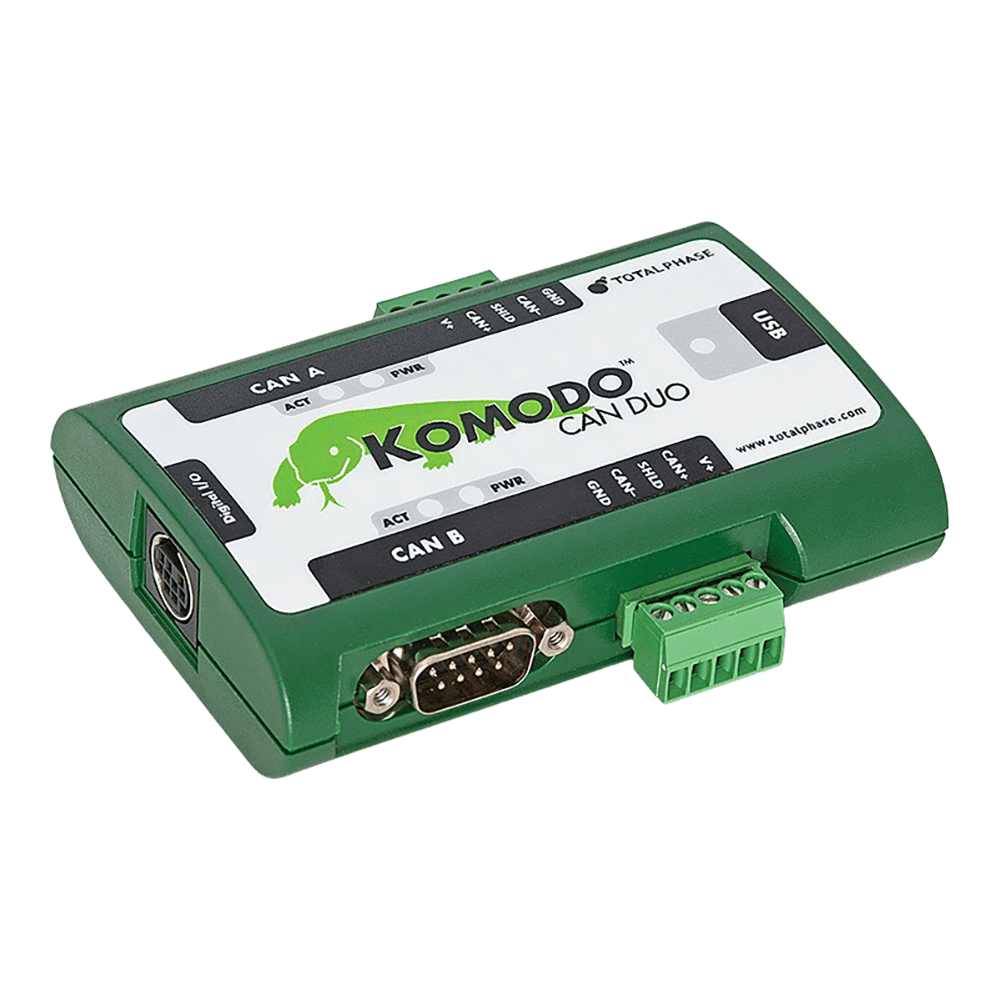
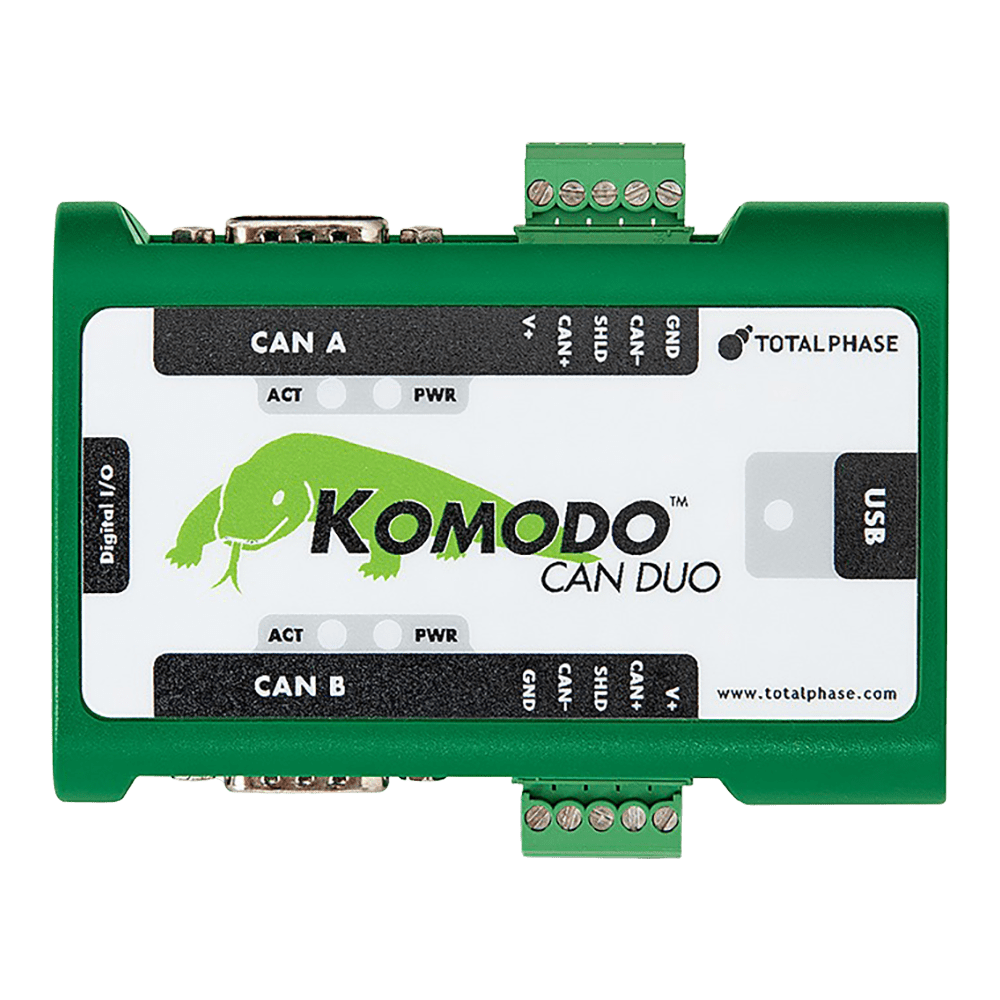
Total Phase Komodo CAN Duo Interface
Total Phase Komodo CAN Duo Interface
SKU: TP360110
Couldn't load pickup availability
Key Features
Overview
Looking to dominate the world of controller area network (CAN) bus systems? Meet the Total Phase Komodo CAN Duo, your ultimate solution for seamless CAN network interactions.
With the Komodo CAN Duo, you unlock a realm of possibilities with its dual high-speed CAN channels that converge through a single USB connection, streamlining your monitoring, analysis, and simulation tasks like never before.
Embrace the power of the Komodo CAN Duo:
- Effortlessly monitor and decode complex CAN protocols for a deeper understanding of your network.
- Ensure optimal network performance in real-time, keeping your operations running smoothly without interruptions.
Indispensable across various industries ranging from automotive to medical, the Komodo CAN Duo proves its versatility and adaptability as an invaluable asset.
Seize the Total Phase Komodo CAN Duo to revolutionize your CAN bus interactions now!
Unveiling the key features of the Komodo CAN Duo:
- Customize and configure two independent CAN channels to match your specific requirements with unparalleled flexibility.
- Enjoy the freedom to integrate and innovate without constraints, thanks to the royalty-free API that accompanies the Komodo CAN Duo.
Transition seamlessly between Windows, Linux, and Mac OS X platforms, ensuring that your CAN bus projects are not limited by operating system restrictions.
Upgrade your CAN experience today with the Total Phase Komodo CAN Duo - the ultimate tool for mastering the intricacies of CAN network communications.
Downloads
Full-Featured CAN Adapter
The Komodo CAN Duo Interface can operate as a CAN node, to send and receive messages, on up to two different CAN networks. Communicate with any type of CAN network, from automotive systems to industrial controls. The Komodo interface operates at up to a maximum bitrate of 1 Mbps.
Flexible Design
Configure each CAN channel independently as either an adapter or a non-intrusive analyser. Communicate and/or monitor two different CAN buses with a single Komodo interface.
True Real-Time Monitoring
non-intrusively monitor up to 2 different CAN buses and see the data as it is captured. Each channel of the Komodo interface is independently, galvanically isolated and can capture CAN data at up to 1 Mbps.
GPIO
The 8-GPIO pins can be configured for input or output, allowing the Komodo interface to communicate with external logic.
Industrial Grade
The Komodo CAN Duo Interface is rated for operating temperatures from -40°C to +85°C (non-condensing).
Low Cost

The Komodo CAN Duo Interface comes complete with a royalty-free API.
The low cost makes it affordable for a company to provide every developer with their own interface. The benefits of every developer having their own interface are:
- Less time wasted because developers do not have to share tools or go to the lab to debug simple problems.
- Less wasted time means higher productivity because developers can identify and fix problems quickly and easily with less down-time.
- Higher productivity means shorter development cycles. Projects get done on time and on budget.
By saving just a few hours of engineering time, the Komodo CAN Duo Interface will have paid for itself.
Future-Proof
The Komodo interface is completely field-upgradable via USB. Total Phase is committed to improving the Komodo interface and making these improvements available to our customers.
You will never have to worry about being out of step with the latest software features.
Minimum Hardware requirements
• Intel or AMD processor operating at 2 gigahertz (GHz) or faster
• 1 gigabyte (GB) physical RAM (32-bit) or 2 GB RAM (64- bit)
• 2 GB or more available hard disk space
• High-speed USB port
• VGA capable of 1024x768 or higher screen resolution
• Internet access is helpful
| General Information | |
|---|---|
Part Number (SKU) |
TP360110
|
Manufacturer Manufacturer of the product
|
|
| Physical and Mechanical | |
Weight |
1.0 kg
|
| Other | |
EAN |
5055383699148
|
Questions and Answers
-
What Competitive Advantages Does the Komodo CAN Duo Interface Offer Over Premium Solutions?
The Komodo CAN Duo gives professional CAN capability at a lower price than many high-end CAN tools:
- Two independent CAN channels, each with its own galvanic isolation
- Software for Windows, Linux and macOS
- Industrial temperature rating (-40°C to +85°C)
- 8 configurable GPIOs
- Free Komodo Software API
-
How Does the Komodo Interface Support Automotive and Medical Applications?
The Komodo CAN Duo works with standard automotive CAN networks for diagnostics and development. Each of its two channels has independent galvanic isolation, and it has an industrial temperature rating of -40°C to +85°C.
It carries CE and RoHS marks, and Total Phase manufactures it in a facility certified to ISO 9001, ISO 13485 (medical devices) and AS9100C (aerospace).
-
What GPIO Capabilities Does the Komodo CAN Duo Interface Provide?
The Komodo CAN Duo has 8 configurable GPIO pins on a Mini DIN-9 connector for connecting external logic and control systems.
Each pin can be an input or output, for sensors, actuators, LED indicators or other control signals. This helps in automotive testing, where extra signals need monitoring alongside CAN data, and in industrial setups that integrate PLCs or other control systems.
The GPIOs use 3.3V logic levels with ESD protection. Basic CAN interfaces often lack integrated GPIO.
-
How Does the Komodo CAN Duo Interface Compare with Lower-cost Alternatives?
The Komodo CAN Duo has professional features that budget CAN interfaces often lack:
- Galvanic isolation, preventing ground loops and protecting equipment
- Two channels, where budget interfaces usually have one
- Industrial temperature rating for harsh environments
- Cross-platform software and a royalty-free API, so no expensive third-party software is needed
- Error detection and recovery, avoiding the data dropouts at higher bus loads seen on many low-cost tools
Debug Store offers competitive pricing.
-
What Applications and Industries Benefit Most From the Komodo CAN Duo Interface?
The Komodo CAN Duo is used across many industries:
- Automotive: ECU development, ADAS testing, powertrain diagnostics, infotainment system integration
- Medical devices: patient monitoring equipment, surgical robotics, imaging systems, dialysis machines
- Industrial automation: factory equipment control, robotics, building automation, process control
- Aerospace and military: rugged construction for demanding environments
- Research and development: embedded systems education, prototype development and CAN protocol research in universities and commercial labs
- Other: agricultural machinery, marine systems, renewable energy
-
What Is the Total Phase Komodo CAN Duo Interface?
The Total Phase Komodo CAN Duo Interface is an industrial-grade, dual-channel USB-to-CAN adapter and analyser.
It combines active CAN transmission with non-intrusive CAN bus monitoring, at up to 1 Mbps per channel. Each of its two independent, customisable channels has its own galvanic isolation. It suits automotive, medical, military and industrial applications.
-
What Are the Key Technical Specifications of the Komodo CAN Duo Interface?
Key specifications of the Komodo CAN Duo Interface:
- Two independent CAN channels, up to 1 Mbps
- Independent galvanic isolation per CAN channel
- 8 configurable GPIOs for external logic
- USB 2.0 full-speed, bus-powered (no external supply)
- Industrial-grade, operating from -40°C to +85°C
- DB-9 and terminal block connectors on each CAN channel
- Mini DIN-9 connector for GPIO
-
How Does the Galvanic Isolation Feature Benefit CAN Bus Applications?
Galvanic isolation electrically separates the CAN bus from the host PC while data still passes between them.
It prevents ground loops, which can corrupt data or damage equipment when devices sit at different electrical potentials. In industrial and automotive environments it also protects against electrical noise, transients and voltage surges.
The Komodo isolates each channel independently, so each CAN bus works safely even when connected to systems with different ground references. This matters for medical devices, automotive diagnostics and industrial automation.
-
What Software Is Included with the Komodo CAN Duo Interface?
The Komodo CAN Duo Interface comes with free software for Windows, Linux and Mac OS X:
- Komodo GUI Software: active CAN programming with batch mode, periodic messaging and GPIO configuration
- Data Center Software: real-time, non-intrusive CAN bus monitoring with filtering and search
- Royalty-free API: language bindings for C/C++, .NET, Python and Visual Basic
- LabVIEW drivers for National Instruments development environments
-
Can the Komodo CAN Duo Interface Monitor and Transmit Simultaneously?
Yes. With two channels, one can actively send CAN messages while the other passively monitors bus traffic.
You can inject test data on one CAN bus and watch the response on the same or a different bus. It can also monitor two independent CAN buses at once. This helps with ECU simulation, fault injection testing and system validation.
No questions match your search.