

Tag-Connect, LLC
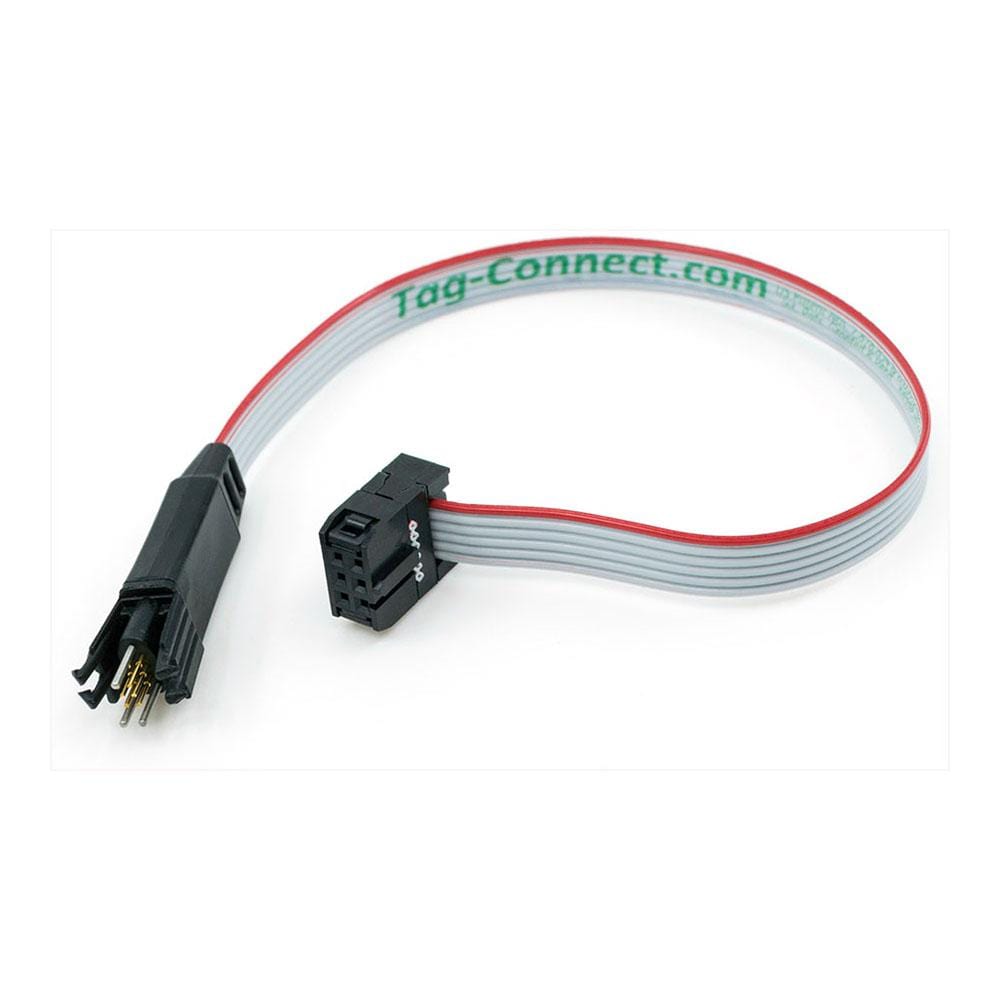
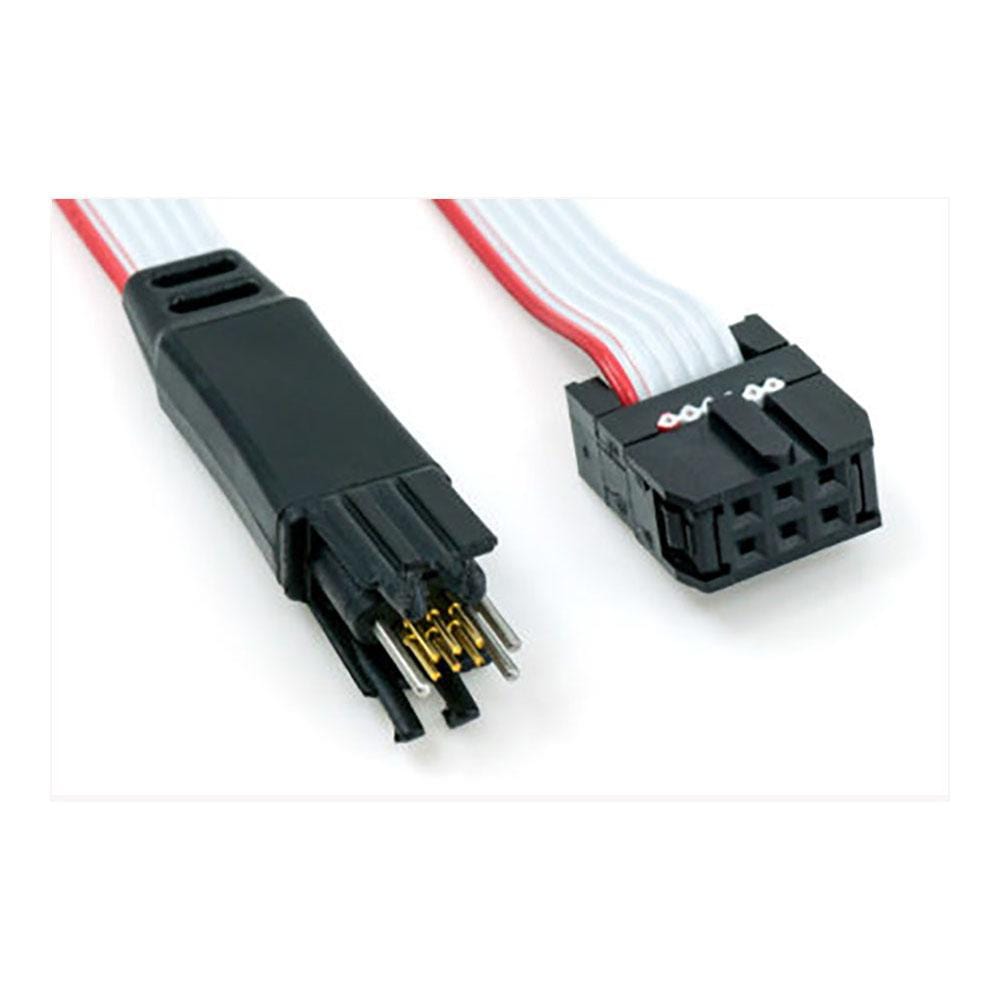
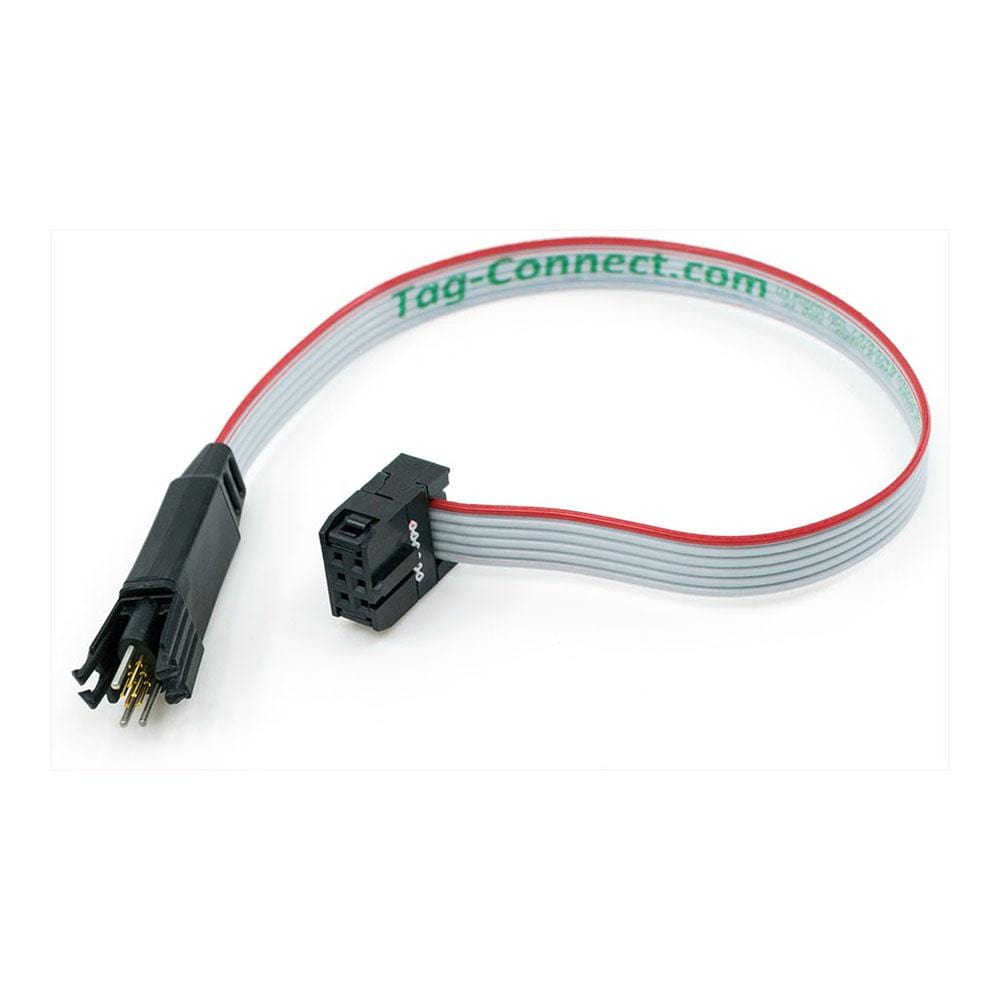
Tag-Connect TC2030-IDC-NL 6-Pin No-Legs Cable, 225 mm, with 0.1 in IDC Connector
Tag-Connect TC2030-IDC-NL 6-Pin No-Legs Cable, 225 mm, with 0.1 in IDC Connector
SKU: TC2030-IDC-NL
£42.00 exc VAT
Four legs clip into latch holes on the board, so the cable stays in place hands-free. Best for development and debugging, where the cable stays connected for long periods.
Fits a smaller footprint with no leg latch holes. For production programming, and for debugging when held in place with a TC2030-CLIP or in a fixture.
Overall length 225 mm (8.8 in), from the IDC connector to the tip of the Tag-Connect head.
Overall length 265 mm, from the IDC connector to the tip of the head. Sold by Tag-Connect as the 10 in (-10) version.
Suggested Add-Ons
Optional. Tick any you need. One of each is added to your cart with this item, whatever the quantity.
Check and Add to Cart
Confirm the price and stock for your selection, set the quantity, then press Add to Cart.
Payment methods
- Bank transfer
Couldn't load pickup availability

Key Features
Overview
The Tag-Connect TC2030-IDC links a debugger or programmer with a 6-pin 0.1 in IDC header to six pads on your PCB. Spring-loaded pins contact the pads, so the board carries no programming header.
Choose Legged or No Legs, and 225 mm or 265 mm overall length, in the options above.
The Legged version clips into a 0.09 sq in footprint and stays in place without a fixture. The No Legs version needs only 0.02 sq in and is held by hand, with a TC2030-CLIP or in a fixture. For a SEGGER J-Link or ST-LINK with the 20-pin ARM header, add the ARM20-CTX adapter.
Downloads
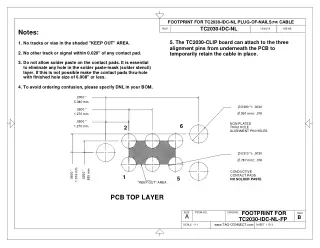
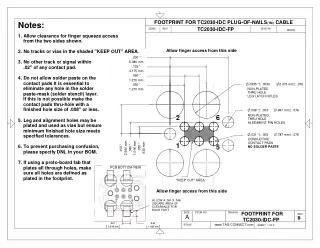
6-Pin Plug-of-Nails Cable with a 0.1 in IDC Connector, Legged or No Legs
The Tag-Connect TC2030-IDC connects a debugger or programmer with a 6-pin 0.1 in IDC header to a 6-pad TC2030 footprint on your PCB, with no connector fitted to the board. The Legged version clips into the footprint so the cable stays in place while you work. The No Legs version needs a smaller footprint and is held by hand, with a clip or in a fixture.
Options
| Option | Choice | Detail |
|---|---|---|
| Head | Legged | Four legs latch into holes in the PCB; footprint 0.09 sq in |
| Head | No Legs | No latch holes; footprint 0.02 sq in; hold by hand, with a TC2030-CLIP or in a fixture |
| Length | 225 mm | 225 mm (8.8 in) overall, IDC connector to head (TC2030-IDC, TC2030-IDC-NL) |
| Length | 265 mm | 265 mm overall; sold by Tag-Connect as the 10 in version (TC2030-IDC-10, TC2030-IDC-NL-10) |
We suggest the shortest length that reaches, especially for high-speed signals.
Pin Assignment
The cable is wired straight through: TC2030 pad n goes to IDC pin n. The signal on each pin depends on the convention you use:
| Pad and IDC Pin | ARM SWD (Tag-Connect convention, as on the ARM20-CTX adapter) | AVR ISP (standard 6-pin ISP header) |
|---|---|---|
| 1 | VCC (VTref) | MISO |
| 2 | SWDIO | VCC |
| 3 | nRESET | SCK |
| 4 | SWCLK | MOSI |
| 5 | GND | RESET |
| 6 | SWO | GND |
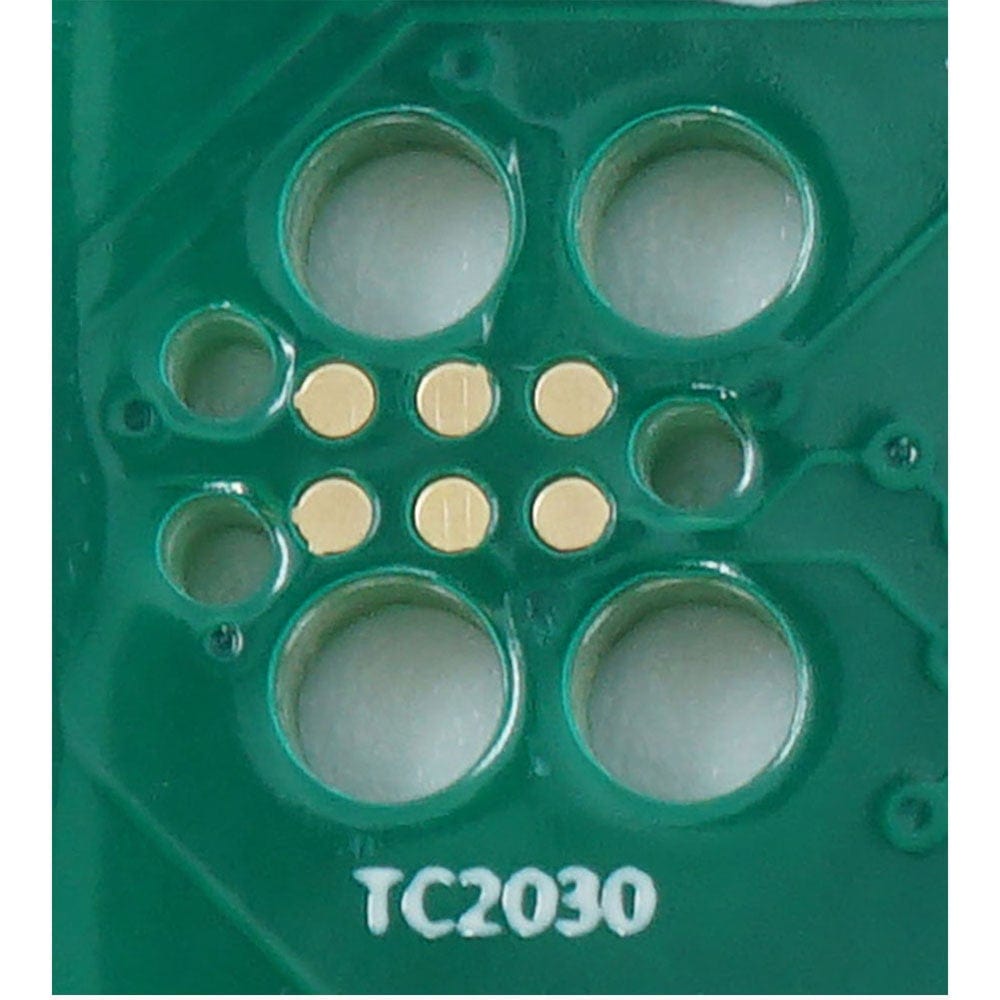
PCB footprint: no solder paste on the contact pads. The legged footprint adds four latch holes for the legs; see the datasheets under Downloads and our Tag-Connect cable guide.
Spring-Pin Contacts
Each cable has six spring pins. Tag-Connect's cycle testing shows them lasting well over 100,000 connections. On the Legged version the legs hold the plug on the board during programming or debugging, so no fixture or hand pressure is needed.
Debugger compatibility: plugs into tools with a 6-pin 0.1 in IDC header. For a SEGGER J-Link or ST-LINK/V2 with the 20-pin ARM header, add the ARM20-CTX adapter. The ARM20-CTX carries SWD only; it does not carry full JTAG. For the Microchip Atmel-ICE AVR port, use the TC2030-ICESPI (or TC2030-ICESPI-NL) instead, ordered in the LEMTA orientation, which reverses the ribbon connector to suit the Atmel-ICE.
Who It's For
Engineers who program or debug boards through a 6-pad TC2030 footprint from a tool with a 6-pin 0.1 in connection, either directly or through a Tag-Connect adapter. Tag-Connect also lists Zilog devices among this cable's uses.
| Device Family | Debugger or Programmer | Connection |
|---|---|---|
| ARM Cortex-M (STM32, NXP and others), SWD | SEGGER J-Link, ST-LINK/V2, STLINK-V3SET | ARM20-CTX adapter (SWD only) |
| Atmel AVR, ISP | Atmel AVRISP mkII | Direct, on the AVRISP mkII's internal 6-pin header in place of its own ribbon cable |
| Renesas MCUs with a 6-pin debug interface (check your device: some need the 10-pin TC2050-IDC) | Renesas E1, E8a | TC-Renesas adapter (also suits E2, E2 Lite and E20) |
| Xilinx FPGA, JTAG | Xilinx Platform Cable USB II | TC-XILINX6 adapter |
| Lattice FPGA, JTAG | Lattice HW-USBN-2B | TC-LATTICE adapter |
When to Choose a Different Cable
Not the right cable for a Microchip Atmel-ICE (use the TC2030-ICESPI for its AVR port or the TC2030-CTX for its SAM port) or a Microchip MPLAB ICD 3 or ICD 4 (use the TC2030-MCP).
Compare the Versions
| Part Number | Head | Overall Length | Best For |
|---|---|---|---|
| TC2030-IDC | Legged | 225 mm (8.8 in) | Development and debugging: clips in and stays connected hands-free |
| TC2030-IDC-NL | No Legs | 225 mm (8.8 in) | Production programming, or debugging with a TC2030-CLIP; smallest footprint |
| TC2030-IDC-10 | Legged | 265 mm | Development and debugging when the board sits further from the tool |
| TC2030-IDC-NL-10 | No Legs | 265 mm | Production fixtures and test jigs that need the extra reach |
All four versions use the same six-pad contact pattern and the same straight-through wiring; only the head and the length differ.
Which cable fits your debugger? See our Tag-Connect cable guide.
| Ordering information | |
|---|---|
| Part number (SKU) | TC2030-IDC-NL |
| Manufacturer | Tag-Connect, LLC |
| EAN | 5055383690916 |
| Warranty | 6 months |
| Shipping weight | 0.1 kg |
- 1 ×Tag-Connect TC2030-IDC cable, in the version you select (Legged or No Legs, 225 mm or 265 mm)
Cable only. No adapter, retaining clip or fixture is included. On No Legs versions, the TC2030-CLIP retaining clip and the TC-MOUNT-6 fixture bracket are offered as add-ons.
Questions and Answers
-
How Do I Design the PCB Footprint for a Reliable Connection?
Both footprints need six contact pads and three alignment-pin holes, with no solder paste on the pads; the Legged footprint adds four leg latch holes.
Item Legged footprint No-legs footprint Contact pads 6, 0.031 in (0.79 mm) diameter, 0.050 in (1.27 mm) pitch, 2 x 3 Same Alignment-pin holes 3, 0.039 in (0.99 mm) diameter Same Leg latch holes 4, 0.0935 in (2.375 mm) diameter None Solder paste None on the pads None on the pads - Keep other tracks and signals at least 0.02 in from any contact pad, and keep the shaded keep-out area free of tracks and vias.
- Allow finger access clearance for leg operation.
-
Does the TC2030-IDC Provide Target Power to the Connected Device?
No. The cable is passive and does not supply target power.
It is wired pin for pin; with ARM debuggers (ARM20-CTX adapter) pin 1 carries the target voltage reference (VTref), so the debugger can sense the target voltage. Whether the target can be powered through the cable depends on the debugger; normally the target has its own supply.
-
What Cable Length Options Are Available for the TC2030-IDC?
Two lengths are offered as options on this page: 225 mm (8.8 in) and 265 mm overall, from the IDC connector to the head, as given on Tag-Connect's Rev B drawings. Tag-Connect sells the longer one as the 10 in version (TC2030-IDC-10 and TC2030-IDC-NL-10). Tag-Connect also offers 36 in versions on request; contact us for details.
Version Overall length TC2030-IDC, TC2030-IDC-NL 225 mm (8.8 in) TC2030-IDC-10, TC2030-IDC-NL-10 265 mm, sold by Tag-Connect as 10 in 36 in version On request; contact us -
Can Multiple TC2030-IDC Footprints Be Placed on One PCB?
Yes. Tag-Connect places no restriction on the footprint's location provided you have sufficient area, so multiple footprints can share a board to reach different MCUs or debug interfaces.
Leave enough space for leg operation, and consider the pin assignments so signals do not conflict when cables are connected at the same time.
-
How Does the Standard TC2030-IDC Compare to Traditional JTAG Connectors for Cost Savings?
The cable connects straight to pads on the PCB, so there is no header to buy or fit on each board. The saving grows with production volume, and the board needs less space.
Connection on the board Area (Tag-Connect figures) TC2030, legged 0.09 sq in TC2030, no legs 0.02 sq in RJ12 jack 0.52 sq in -
What Microcontroller Families Does the TC2030-IDC Support?
The TC2030-IDC is used with ARM Cortex (SWD), Atmel AVR, Renesas, Zilog, Xilinx and Lattice devices. Most routes need an adapter between the cable and the debugger, shown below.
Family Route ARM Cortex (STM32) ST-LINK/V2 with ARM20-CTX ARM Cortex (NXP) PEmicro with ARM20-CTX Other ARM Cortex parts SEGGER J-Link with ARM20-CTX Atmel AVR AVRISP mkII, direct: replaces the AVRISP mkII's own ribbon cable on its internal 6-pin header Renesas (6-pin debug interface; some MCUs need the 10-pin TC2050-IDC) Renesas E1 or E8a with the TC-Renesas adapter Xilinx (JTAG) Platform Cable USB II with the TC-XILINX6 adapter Lattice (JTAG) HW-USBN-2B with the TC-LATTICE adapter Zilog Named by Tag-Connect as a popular application for this cable -
What Debuggers Are Compatible with the TC2030-IDC Cable?
The TC2030-IDC works with SEGGER J-Link, ST-LINK/V2 and STLINK-V3SET, PEmicro Multilink and Cyclone, and Atmel AVRISP mkII, among the debuggers on Tag-Connect's solutions pages.
Debugger Connection SEGGER J-Link ARM20-CTX adapter ST-LINK/V2, STLINK-V3SET ARM20-CTX adapter PEmicro Multilink, Cyclone ARM20-CTX adapter (SWD) Atmel AVRISP mkII Direct: replaces the AVRISP mkII's own ribbon cable on its internal 6-pin header Renesas E1, E2, E2 Lite, E8a, E20 TC-Renesas adapter (6-pin targets; some MCUs need the 10-pin TC2050-IDC) Xilinx Platform Cable USB II TC-XILINX6 adapter Lattice HW-USBN-2B TC-LATTICE adapter Atmel-ICE Not this cable: use the TC2030-ICESPI for its AVR port or the TC2030-CTX for its SAM port -
Can the TC2030-IDC Handle Production Programming Volumes?
Yes. Tag-Connect's cycle testing shows the spring pins last well over 100,000 operations; the ribbon cable usually wears out first. For production programming Tag-Connect suggests the No Legs version, held by hand or in a fixture; the Legged version holds itself on the board. Throughput then depends on your programmer.
-
What's the Difference Between Standard TC2030-IDC and TC2030-IDC-NL Versions?
The standard TC2030-IDC has retention legs that clip into PCB holes, so debugging needs no hand pressure; the TC2030-IDC-NL (no legs) has an even smaller footprint for quick programming but is held by hand, with a TC2030-CLIP or in a fixture.
TC2030-IDC TC2030-IDC-NL Retention Legs clip into PCB holes Hand pressure, clip or fixture Footprint area 0.09 sq in 0.02 sq in

No questions match your search.
