
Tag-Connect, LLC
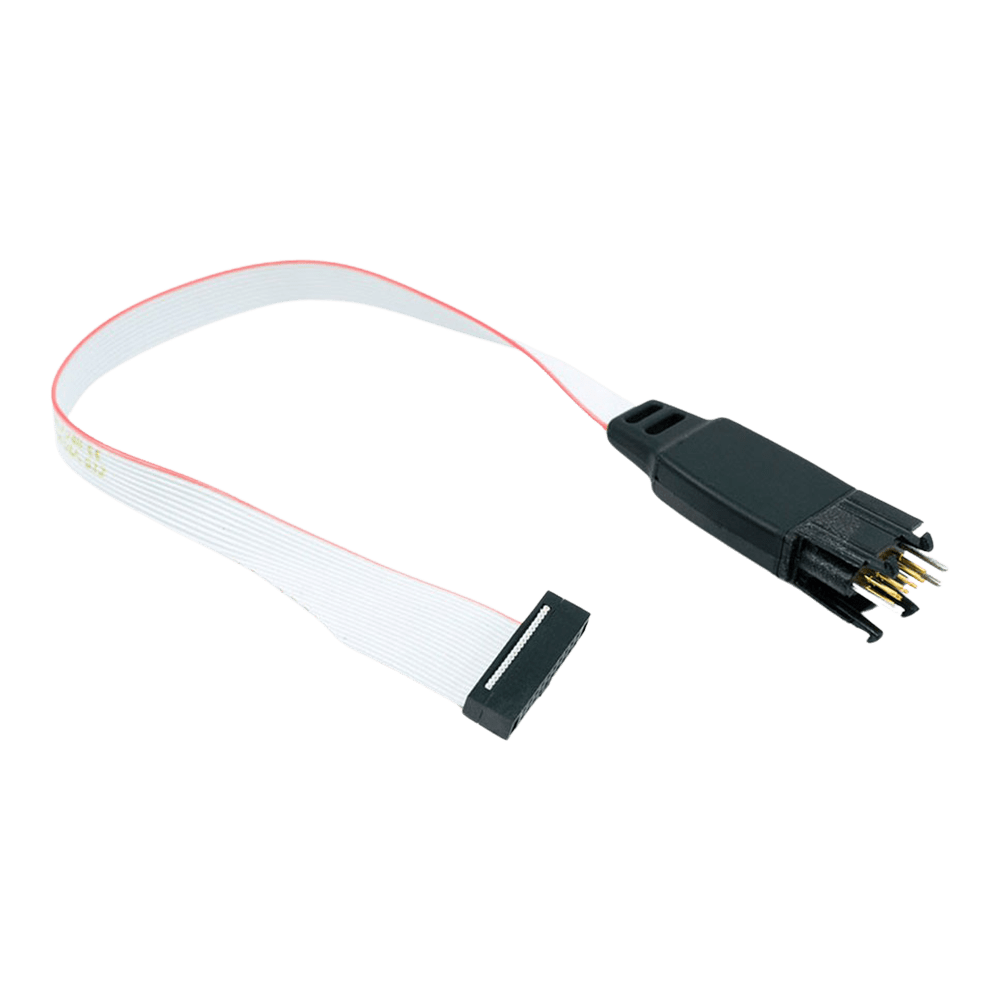
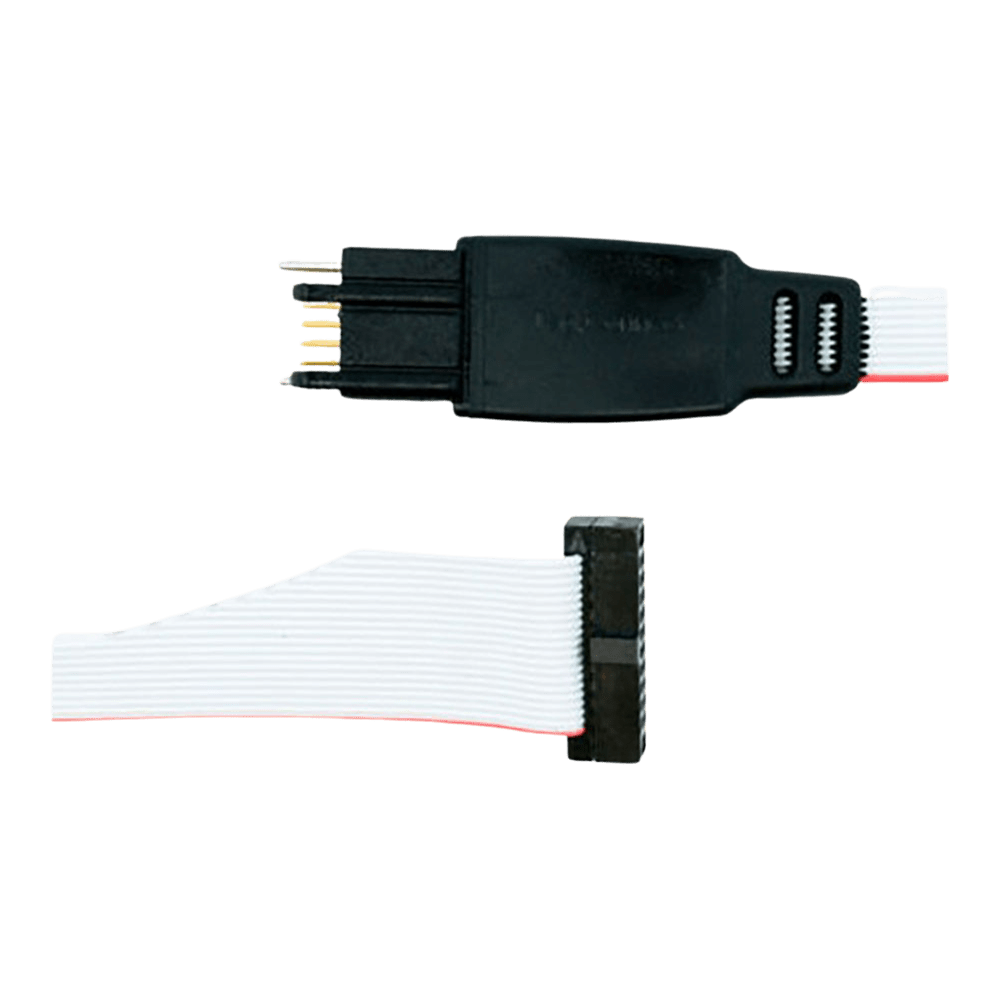
Tag Connect TC2050-IDC-050 Plug-of-Nails Debug Cable
Tag Connect TC2050-IDC-050 Plug-of-Nails Debug Cable
SKU: TC2050-IDC-050
Couldn't load pickup availability
Key Features
Overview
Downloads
Why Engineers Choose The Tag Connect TC2050-IDC-050 Plug-of-Nails Debug Cable
Eliminates PCB Connector Costs
Maximises Board Space Efficiency
Streamlines Development Workflow
ARM Cortex Debug Interface Overview
The TC2050-IDC-050 provides seamless connectivity between ARM Cortex microcontrollers and debugging tools using the industry-standard 10-pin debug interface. This cable eliminates the need for permanent debug connectors on production boards whilst maintaining full debugging capabilities during development.Debug Protocol Compatibility
This cable supports both JTAG and SWD debugging protocols. JTAG (Joint Test Action Group) uses 4 signal pins for comprehensive debugging including boundary scan testing, whilst SWD (Serial Wire Debug) requires only 2 pins for efficient debugging of ARM Cortex processors.| Protocol | Pins Used | Key Signals | Advantages |
|---|---|---|---|
| JTAG | 4 | TCK, TMS, TDI, TDO | Full boundary scan, multi-device chain |
| SWD | 2 | SWDCLK, SWDIO | Fewer pins, ARM optimised, faster |
Wiring Quick-Start
The TC2050 footprint requires precise PCB layout for reliable connection. Contact pads must be 0.079" diameter with 0.100" spacing in a 2x5 configuration. Two 0.079" alignment holes are positioned to ensure correct cable orientation.TC2050 Pinout (Top View): 1 - VTG 2 - TMS/SWDIO 3 - GND 4 - TCK/SWCLK 5 - NC 6 - TDO/SWO 7 - GND 8 - TDI 9 - NC 10 - nRESET * Pins 5 and 9 not connected in standard version ULINK2 Debugger Integration
The cable's 0.050" pitch connector directly mates with ULINK2's Samtec FTSH-105-01 header. This configuration provides efficient debugging for ARM7, ARM9, and Cortex-M microcontrollers with full MDK-ARM integration.PCB Design Considerations
The TC2050 footprint requires careful PCB design attention. Keep-out areas around the connector ensure finger access for cable insertion. The footprint works on both 2-layer and multilayer boards with appropriate via placement.Alternative Configurations
Several variants exist for different debugging requirements: TC2050-IDC-050-ALL: All 10 pins connected for full JTAG compatibility TC2050-IDC-NL-050: No-legs version for production programming TC2050-IDC-050-LEMTA: Reversed connector for Atmel-ICE compatibilityWhich cable fits your debugger? See our Tag-Connect cable guide.
| General Information | |
|---|---|
Part Number (SKU) |
TC2050-IDC-050
|
Manufacturer |
|
| Physical and Mechanical | |
Weight |
0.1 kg
|
| Other | |
EAN |
5055383665457
|
Questions and Answers
-
What PCB Footprint Does This Cable Require?
The TC2050 footprint is 10 contact pads plus locating holes; the legged cable also needs holes for its retention legs. It is much smaller than a traditional 0.1" header. Exact dimensions are in Tag-Connect's footprint drawings.
-
How Does This Compare to Traditional Debug Headers?
Tag-Connect cables remove the cost and board space of a permanent header. A traditional 10-pin 0.1″ header costs more per board and takes much more PCB area, while the TC2050 footprint costs nothing per board and gives the same JTAG/SWD connection (pins 5 and 9 are not wired in this cable).
-
Is the Cable Compatible with Atmel-ICE Debuggers?
Not this cable. For the Atmel-ICE Tag-Connect recommends the TC2050-IDC-050-ALL ordered in the LEMTA (reversed ribbon connector) orientation, because the Atmel-ICE 10-pin header has reversed pin numbering.
-
What's the Maximum Target Voltage Supported?
The cable is passive, so the voltage limit is set by your debugger, not the cable. Pin 1 carries the target voltage reference to the debugger.
-
Can I Use This Cable for non-ARM Microcontrollers?
Yes. Although designed for ARM Cortex debugging, the cable can carry any signals you design into the footprint. With suitable debugger support, the 10-pin layout can serve custom debug applications on other microcontroller families.
-
What Debugging Protocols Does the TC2050-IDC-050 Support?
It supports JTAG and SWD for ARM Cortex microcontrollers. For SWD-only use in the smallest space, Tag-Connect offers the 6-pin TC2030-CTX.
-
Is This Cable Compatible with Other Debuggers Besides ULINK2?
Yes. It works with any debugger that uses a Samtec FTSH-105-01 style 0.050" pitch 10-pin micro-header, including many ARM Cortex debug tools and development boards.
-
Why Are Pins 5 and 9 Not Connected in This Version?
Pins 5 and 9 are left unconnected for compatibility with Tag-Connect's TC2050-ARM2010 adapter configuration; using this cable is equivalent to using that adapter with a TC2050-IDC cable. If you need all 10 pins connected, choose the TC2050-IDC-050-ALL variant.
-
What's the Difference Between Legged and No-legs Versions?
The legged cable locks to the PCB with plastic legs for hands-free debugging; the no-legs TC2050-IDC-NL-050 has a smaller footprint.
TC2050-IDC-050 (legged) TC2050-IDC-NL-050 (no legs) Hold on the PCB Plastic legs latch into the board Held by hand, or with a clip or fixture Footprint Larger (four extra leg holes) Smaller Tag-Connect suggests it for Development needing a secure connection Production programming, especially short one-off operations -
Can I Use This Cable for Production Programming?
Yes. The spring pins are rated for over 100,000 operations. Note that Tag-Connect generally recommends the TC2050-IDC (0.1″ ribbon) for durability, because the fine 0.050″ ribbon on this cable can break with repeated flexing. For high-volume production consider the no-legs TC2050-IDC-NL-050 with a clip or fixture.


No questions match your search.