
Sauris GmbH
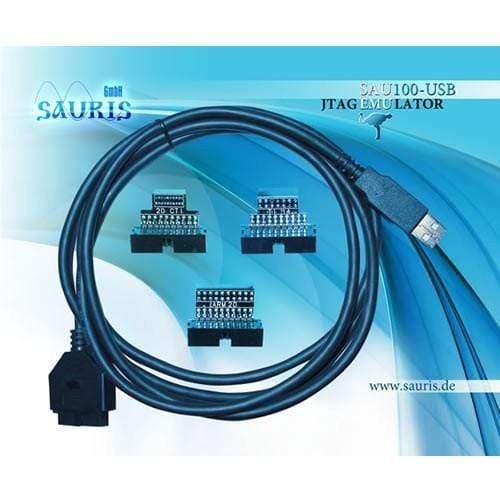
Sauris SAU100-USB v1 JTAG Emulator
Sauris SAU100-USB v1 JTAG Emulator
SKU: SAU100-USB
Couldn't load pickup availability
Key Features
Overview
The Sauris SAU100-USB v1 delivers professional-grade JTAG debugging capabilities at an accessible price point, making it ideal for students, hobbyists, and budget-conscious developers. This ultra-compact emulator connects via standard USB 2.0 and provides full XDS100v2 class functionality for Texas Instruments processor families including C2000, C5000, C6000, ARM Cortex-M, ARM Cortex-R, and ARM Cortex-A series devices.
Compatible with Code Composer Studio V4 and all subsequent versions, the SAU100-USB requires no external power source and features automatic target voltage detection from 1.8V to 3.3V. The 14-pin TI JTAG connector ensures broad compatibility with development boards and evaluation modules from Texas Instruments and third-party manufacturers.
This is the original v1 model in the SAU100 series.
Downloads
Why Engineers Choose the Sauris SAU100-USB v1 JTAG Emulator
Budget-Friendly Professional Tool
Plug-and-Play Simplicity
Broad TI Compatibility
Professional JTAG Debugging Made Affordable
The Sauris SAU100-USB v1 is a compact, USB-powered JTAG emulator providing professional debugging capabilities for Texas Instruments microcontrollers and DSPs at an exceptional price point. Built to XDS100v2 class specifications, this emulator delivers reliable real-time debugging, code download, and programming functionality through a simple USB 2.0 connection.
Texas Instruments Compatibility
Engineered specifically for TI processor families, the SAU100-USB supports comprehensive debugging across multiple architectures including C2000, C5000, C6000, ARM Cortex-M, ARM Cortex-R, and ARM Cortex-A series processors. Full compatibility with Code Composer Studio V4 and newer versions ensures seamless integration into existing development workflows.
Wiring Quick-Start
Pin Assignment (TI 14-pin JTAG Header): Pin 1: TMS (Test Mode Select) Pin 2: nTRST (Test Reset) Pin 3: TDI (Test Data In) Pin 4: TDIS (Test Disconnect) Pin 5: VTRef (Voltage Reference) Pin 6: KEY (No Connection) Pin 7: TDO (Test Data Out) Pin 8: GND (Ground) Pin 9: RTCK (Return Test Clock) Pin 10: GND (Ground) Pin 11: TCK (Test Clock) Pin 12: GND (Ground) Pin 13: EMU0 (Emulation Pin 0) Pin 14: EMU1 (Emulation Pin 1) Development Environment Integration
The SAU100-USB integrates directly with Code Composer Studio through standard XDS drivers, eliminating complex setup procedures. USB bus-powered operation requires no external power supply, whilst the compact form factor minimises desk space requirements. LED status indicators provide immediate visual feedback on connection status and emulation activity.
Ready-to-Run Code Example
 // Basic CCS connection verification #include "DSP28x_Project.h"
void main(void) {
InitSysCtrl(); // Initialize system con
rol InitGpio(); // Initial
ze GPIO DINT; // Disable globa
interrupts InitPieCtrl(); // Initia
ize PIE control IER = 0x0000; // Di
able CPU interrupts IFR = 0x0000;
Data format:

text
// Enable JTAG debug mode
SysCtrlRegs.PCLKCR0.bit.TBCLKSYNC = 0;
EINT;                  // Enable global interrupts

while(1) {
    // Debug breakpoint location
    asm(" NOP");       // Set breakpoint here
}
}
Questions and Answers
-
How Does the SAU100-USB V1 Compare to More Expensive JTAG Emulators?
It's good value but downloads code more slowly than XDS510 or XDS560 class emulators. It has the essential debug features (breakpoints, single-step execution and memory access), so it suits development work where speed is less critical.
-
Can I Use This Emulator with Custom Target Boards?
Yes, provided your target board includes a standard TI 14-pin or 20-pin JTAG header and meets basic electrical requirements. Ensure proper ground connections and that your target processor is in the SAU100-USB supported device list.
-
What Cable Length Limitations Should I Observe?
Sauris does not publish a JTAG cable length limit for this emulator. On your own board, keep the JTAG header close to the target processor: TI’s JTAG design guidance says the signals must be buffered if the header is more than 6 inches (about 15cm) from the device. Longer or unbuffered connections may cause connection reliability issues, particularly in electrically noisy environments.
-
Is the SAU100-USB V1 Compatible with Linux or Mac Operating Systems?
Sauris lists Windows support only (Windows 2000, XP, Vista, 7, 8.1, 10 and 11). Sauris does not state Linux or Mac support. TI’s Code Composer Studio supports XDS100v2 class probes on Linux and macOS, but this has not been confirmed for the SAU100-USB, so Windows is the supported platform.
-
How Do I Troubleshoot Connection Issues?
Work through these checks:
- Check target power and the JTAG cable connections.
- Check the correct target configuration is selected in CCS and your processor is in the supported device list.
- Make sure no other debuggers are connected at the same time.
-
What Texas Instruments Processors Does the SAU100-USB V1 Support?
The SAU100-USB v1 supports these TI processor families:
- C2000 (TMS320F28x)
- C5000 (TMS320C54x, C55x)
- C6000 (TMS320C64x+, C674x)
- ARM Cortex-R4 and ARM Cortex-A8
It supports targets with a 14-pin or 20-pin TI JTAG header.
-
Which Versions of Code Composer Studio Work with This Emulator?
The SAU100-USB v1 requires Code Composer Studio V4.0 or newer. Sauris states that legacy CCS V3.3 is not supported, although it also offers a CCS 3.3 driver package for the SAU100-USB v2. CCS V4.1 includes support for the emulator, and the USB hardware is recognised automatically when it is plugged in after CCS is installed.
-
Does the Emulator Require External Power or Drivers?
It needs no external power, as it’s USB bus-powered. Code Composer Studio V4.1 includes support for the emulator, and the USB hardware is recognised automatically when it is plugged in after CCS is installed.
-
What Target Voltages Are Supported?
The emulator supports target systems with 1.8V and 3.3V IO levels. The current SAU100-USB (v.3) is specified for 1.65V to 5.5V JTAG interfaces, with output signals limited to 3.6V. The target voltage reference is the TVD (VTRef) pin on the JTAG connector, which also lets the emulator detect loss of target power.
No questions match your search.