
ZeroPlus Technology Co Ltd
ZeroPlus Protokollsimulatorplatine Typ A
ZeroPlus Protokollsimulatorplatine Typ A
SKU: PROT-SIM-A
Verfügbarkeit für Abholungen konnte nicht geladen werden
Key Features
Overview
Downloads
Why Engineers Choose the ZeroPlus Protokollsimulatorplatine Typ A
Protocol Validation
Development Efficiency
Educational Training
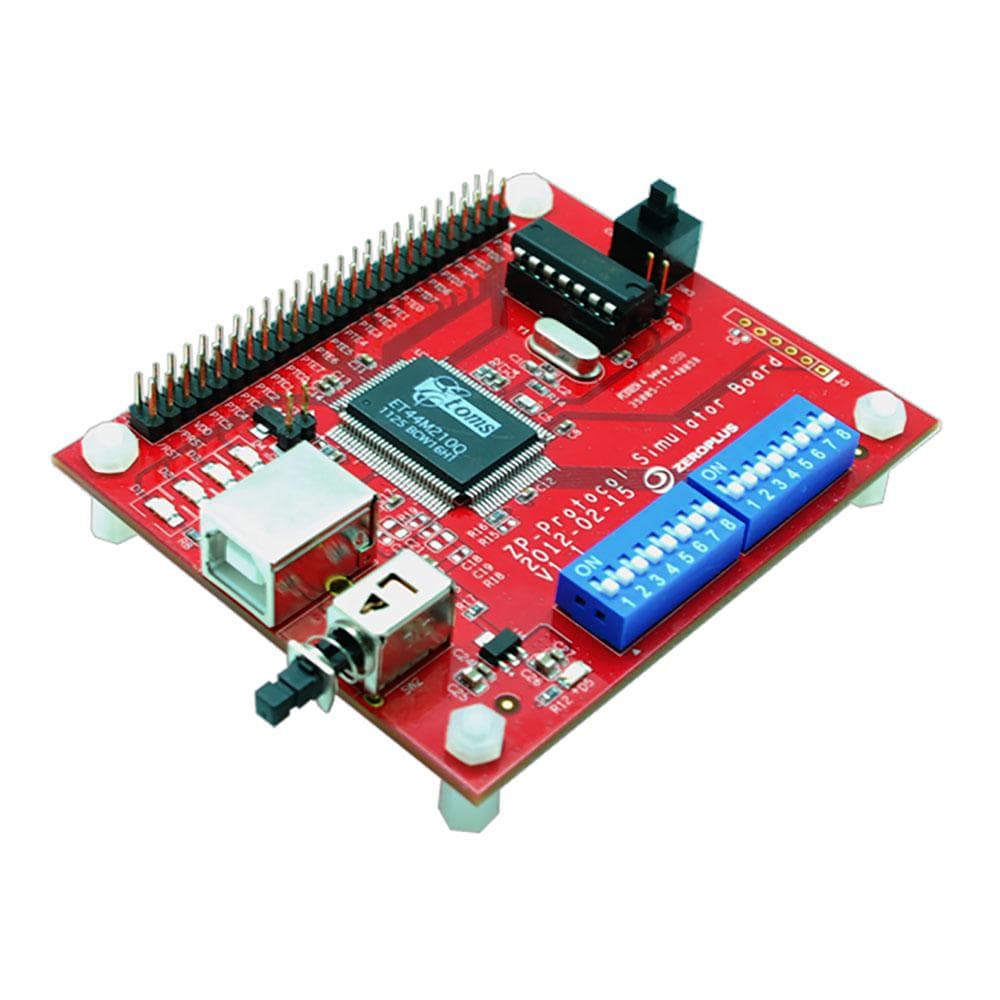
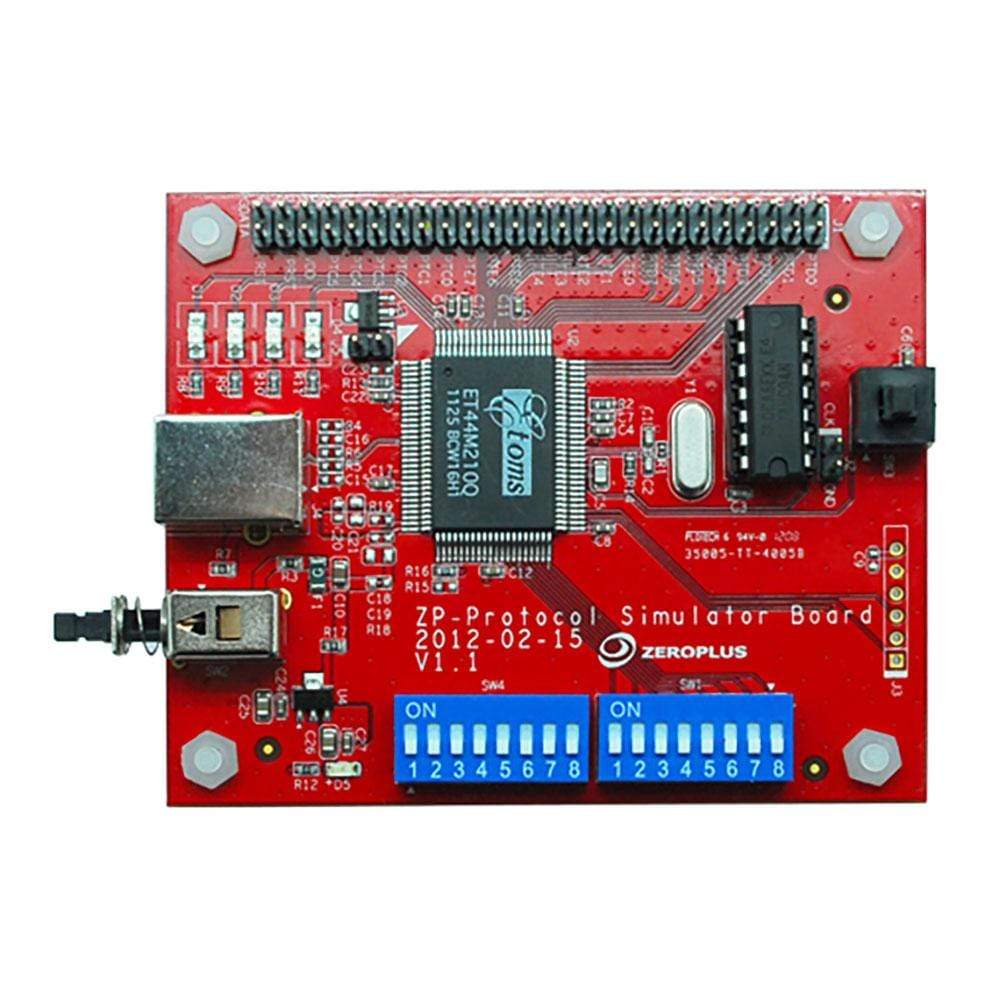
Die Protokollsimulatorkarte A simuliert Datenpakete für 46 verschiedene Protokolle (siehe Beschreibung unten).
Die Karte kann ein einzelnes Paket senden, wobei die Daten für jedes Paket aus dem digitalen Eingang der Karte ermittelt werden. Alternativ kann die Karte so konfiguriert werden, dass sie einen kontinuierlichen Datenstrom von Paketen mit denselben Daten sendet.
Die Auswahl des Protokolls erfolgt über einen DIP-Schalter.
| General Information | |
|---|---|
Part Number (SKU) |
PROT-SIM-A
|
Manufacturer |
|
| Physical and Mechanical | |
Weight |
0.5 kg
|
| Other | |
EAN |
5055383620432
|
Questions and Answers
-
Can I Modify Packet Content in the Continuous Stream Mode?
Zeroplus doesn't describe any way to edit packet content on the board. Its user guide covers selecting the protocol with the SW4 switches, choosing continuous or single transmission with SW1, and triggering a single transmission with the SW3 key.
-
Is This Suitable for Educational Use and Training?
Yes. It's a good tool for teaching digital communication protocols and logic analyser use. It gives students consistent, repeatable protocol signals without complex hardware.
-
What Documentation Comes with the Protocol Simulator Board A?
Zeroplus publishes a user guide for the board covering protocol selection with the SW4 DIP switches, the mode and power switches, and a pin layout diagram. A demo decode file for Zeroplus software is also available for this board.
-
How Does This Compare to Software-based Protocol Simulators?
A hardware simulator like the Protocol Simulator Board A gives your logic analyser a real signal to capture, which software simulators can't, so you test the whole capture path, probes included. Zeroplus doesn't publish rise/fall time or impedance figures for the board.
-
Are Any Additional Protocols Supported Beyond the Protocol Simulator Board A?
Yes. Zeroplus offers the Protocol Simulator Board B, which supports a largely different set of 55 protocols, such as eMMC, SD3.0, HDMI_CEC, KNX, KEELOQ and Differential Manchester. The two boards complement each other across different protocol families.
-
How Do I Select Different Protocols on the Simulator Board?
Use the SW4 DIP switch array on the board. Each protocol has its own combination of the 8 SW4 switches. Set them to the pattern given for that protocol in the user guide.
-
What's the Difference Between Single Packet and Continuous Stream Modes?
Single packet mode sends one segment of signal each time you press the SW3 key. Continuous stream mode sends the signal continuously. Single mode suits trigger testing, whilst continuous mode suits long-term protocol analysis and decoder validation.
-
How Do I Connect the Simulator Board to My Logic Analyser?
Connect the protocol output pins to your logic analyser's input channels using probe leads. Ensure proper ground connections between the board and logic analyser. The board has a labelled pin header with GND pins and a 10 MHz clock output.
-
What Protocols Does the Protocol Simulator Board a Support?
The board supports 46 protocols and logic functions, covering common digital communication methods plus specialised industrial and automotive interfaces. They include:
- I2C
- SPI
- UART (RS-232C/422/485)
- CAN 2.0B
- USB 1.1
- LIN 2.1
- FlexRay 2.1A
- ModBus
- JTAG 2.0
- LCD1602 and LCD12864
-
Can This Simulator Board Work with non-Zeroplus Logic Analysers?
Zeroplus doesn't publish the output logic levels of the Protocol Simulator Board A, so check them against your analyser's input thresholds before use.
-
What Power Supply Requirements Does the Board Have?
Zeroplus doesn't publish the supply voltage or current for the Protocol Simulator Board A. Its user guide shows a power key (SW2) and a power LED. Check the board and its documentation before connecting a supply.

No questions match your search.