
USB 2.0 (Low, Full and High Speed)
USB 2.0 connects a host to up to 127 devices through hubs over one differential pair, D+ and D−, at three speeds: low speed at 1.5 Mbit/s, full speed at 12 Mbit/s and high speed at 480 Mbit/s, with 5 V power on VBUS. The host schedules every transfer and devices only answer, so a protocol analyser placed inline sees the whole conversation: enumeration, descriptors, class requests and data. For high-speed work, use the Total Phase Beagle USB 480 or the Lineeye LE-650H2; to correlate power with traffic, the Beagle USB 480 Power also measures VBUS current and voltage.
How USB 2.0 Is Wired
USB is a tiered star. The host connects to devices directly or through hubs, and every link is point to point: VBUS supplies 5 V, D+ and D− form one twisted differential pair, and GND is the return. A device signals its speed when it connects: a full-speed device pulls D+ up with a 1.5 kΩ resistor, a low-speed device pulls D− up instead, and a high-speed device starts at full speed and then negotiates high speed with a chirp sequence during reset.
A USB protocol analyser does not clip on to the bus the way a logic analyser probe clips on to I2C or SPI. It sits inline, with the host cable on one side and the device on the other, and passes the signals through while recording them. Keep the extra cable short, because high speed is sensitive to cable length and quality.
How USB 2.0 Transfers Work
- Frames: the host sends a start-of-frame packet every 1 ms at full speed, and every 125 µs microframe at high speed, and schedules transactions inside them.
- Token: the host names the device address (1 to 127 once assigned, or 0 for a new device during enumeration) and endpoint, and the direction.
- Data: the payload, with a CRC. DATA0 and DATA1 alternate so a lost handshake does not duplicate data.
- Handshake: ACK for success, NAK if the device is busy and the host should retry, STALL if the endpoint is halted or the request is not supported.
Bits are NRZI encoded, with a 0 bit inserted after six consecutive 1s so the receiver keeps its clock locked. Transfers group transactions by purpose: control transfers on endpoint 0 configure the device, bulk transfers move large data with no timing guarantee, interrupt transfers poll small amounts at a fixed interval, and isochronous transfers stream audio or video with guaranteed bandwidth but no retries.
Enumeration
When a device connects, the host resets it, reads its device descriptor, gives it an address, then reads the configuration, interface and endpoint descriptors and loads a driver for its class, such as HID, mass storage, CDC or audio. Most "device not recognised" problems happen here, which is why an analyser that decodes descriptors and class requests saves so much time.
Where USB 2.0 Is Used
- Peripherals: keyboards, mice and game controllers (HID), printers, scanners and webcams.
- Embedded products: virtual COM ports (CDC ACM), firmware update (DFU) and mass storage on microcontroller devices.
- Audio and instruments: USB audio interfaces and USBTMC test instruments.
- Inside USB 3 and USB-C: every USB 3 port and every USB-C data port still carry the USB 2.0 pair, and many devices use only that.
Common USB 2.0 Faults and How to Find Them
| Symptom | Likely Cause | What to Check |
|---|---|---|
| Device not recognised | A descriptor is malformed or the device stalls a standard request | Capture enumeration and look for STALLs and the descriptor contents |
| Works at full speed, fails at high speed | Chirp handshake fails, or signal integrity at 480 Mbit/s | Check the chirp sequence after reset; shorten cables, check the layout of the D+/D− pair |
| Device disconnects under load | VBUS droops when current rises | Correlate VBUS current and voltage with the traffic at the moment of disconnect |
| Low throughput | Device answering NAK to most IN or OUT tokens | Count NAKs per endpoint; check the firmware buffering |
| Audio clicks or dropouts | Isochronous packets late, short or missing | Check packet size and timing on every (micro)frame |
Tools for Analysing and Decoding USB 2.0
Watch tools sit inline and record every packet without affecting the link. Check the highest speed you need, whether you want class-level decoding, and whether you need to see power on VBUS alongside the data.
USB Protocol Analysers
| Product | Role | Capability | Price ex VAT |
|---|---|---|---|
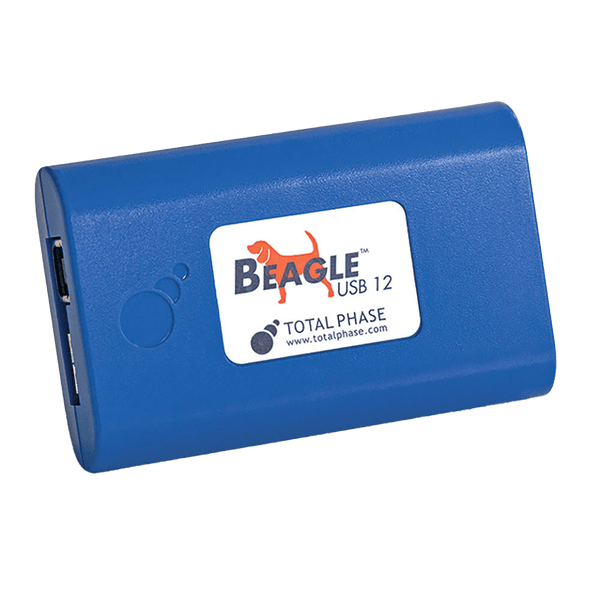
| Total Phase Beagle USB 12 Analyser | Watch | Low and full speed (12 Mbit/s); captures straight to the PC; a low-cost choice for HID and simple full-speed devices | €675,95 |
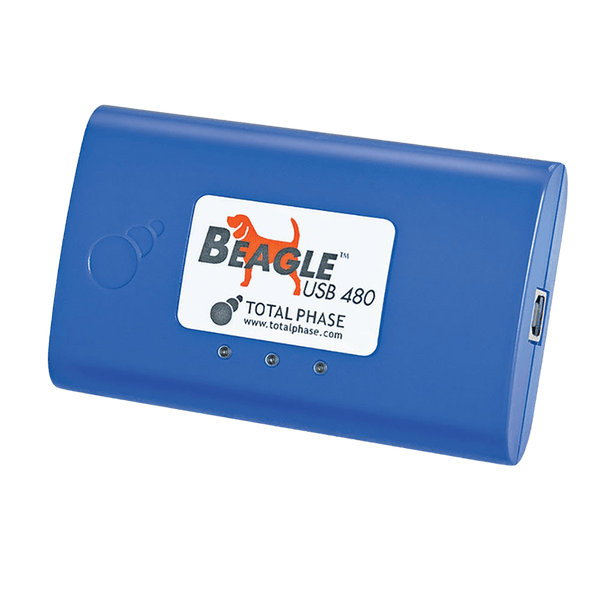
| Total Phase Beagle USB 480 Analyser | Watch | Low, full and high speed; 64 MB on-board buffer; real-time class decoding; high-speed chirp detection; digital I/O for external triggers | €1.720,95 |
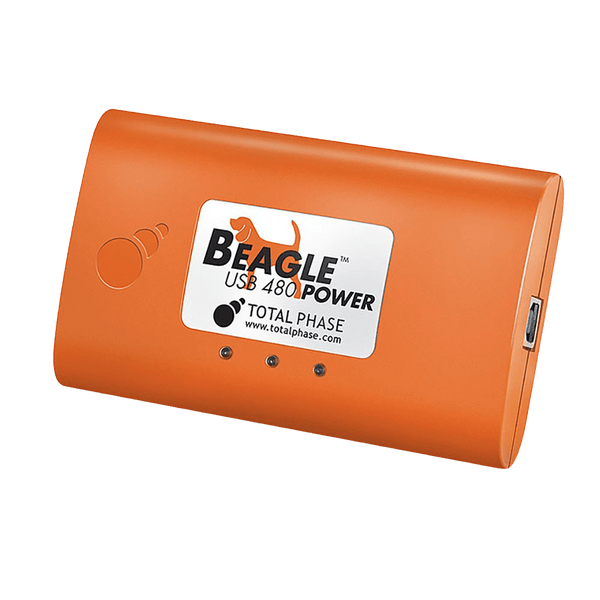
| Total Phase Beagle USB 480 Power Analyser, Ultimate | Watch | As the USB 480, plus VBUS current and voltage measured and plotted with the traffic, 256 MB buffer, and state-based triggers (8 states, 6 matches per state) | €3.353,95 |
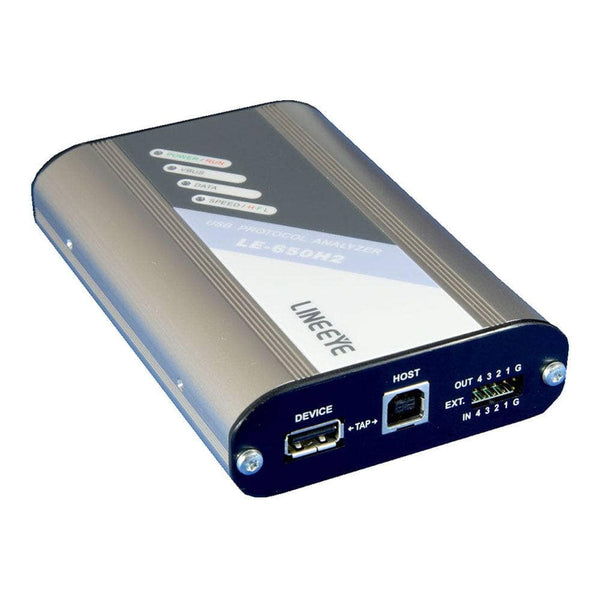
| Lineeye LE-650H2 USB 2.0 Analyser | Watch | Low, full and high speed; 128 MB capture memory and recording to the PC of up to 10 GB; VBUS voltage and current; decodes HID, mass storage, CDC, audio, video, USBTMC and other classes | €1.044,95 |
| Lineeye LE-650H2-A USB 2.0 Analyser | Watch | As the LE-650H2, with recording of up to 40 GB and a high-speed VBUS logger mode | €1.207,95 |
Logic Analyser with a USB Decoder
| Product | Role | Capability | Price ex VAT |
|---|---|---|---|
| Saleae Logic Pro 8 | Watch | USB low- and full-speed decoder in the Logic 2 software, useful when you need USB alongside other signals; not for high speed | €1.038,95 |
Accessories
- Total Phase Digital I/O Cable (€143,95): breaks out the digital inputs and outputs of the Beagle USB 480 and Beagle USB 480 Power to trigger or be triggered by a scope or logic analyser (the Beagle USB 12 has no digital I/O port).
- Total Phase Extension Cable for Beagle USB 12 (€43,95): a short extension lead for the Beagle USB 12, so the analyser can sit where the cable reaches.
For SuperSpeed links, see the USB 3 page. Browse every tool in our protocol decoders collection, or tell us the speed and device class and we will recommend one.
Frequently Asked Questions
Can a USB Analyser Slow Down or Change the Link?
A hardware analyser such as a Beagle or LE-650H2 passes the signals straight through and only listens, so the host and device behave as they would without it. Keep the extra cable short at high speed.
Why Not Use a Software Sniffer on the PC?
A software capture sees what the operating system sees, after the host controller has handled retries, NAKs, chirps and errors. A hardware analyser shows the actual bus traffic, including enumeration failures that never reach the driver.
Does a USB 2.0 Analyser Work with USB-C?
Yes for the USB 2.0 traffic on a USB-C port, using suitable adapters. Through the adapter the link runs as legacy USB at 5 V with default current, so Type-C and Power Delivery negotiation does not take place. It does not capture SuperSpeed lanes or USB Power Delivery messages.
What Speed Analyser Do I Need?
Match the fastest device you need to watch. Many keyboards and mice are low speed, many microcontroller devices are full speed, and storage, cameras and USB audio at high rates use high speed.
Can a Logic Analyser Decode USB?
Low and full speed, yes, with a fast enough sample rate and a USB decoder. High speed at 480 Mbit/s needs a dedicated USB protocol analyser.
Where to Start with USB 2.0
More Protocols
By John Legg CEng, Director, Debug Store. Updated 3 November 2026.
