

Dediprog Technology Co Ltd
Quad-SPI-Adapter für SOP08, 207mil-Geräte
Quad-SPI-Adapter für SOP08, 207mil-Geräte
SKU: QSPI-SOP008207mil-001E
Verfügbarkeit für Abholungen konnte nicht geladen werden
Key Features
Overview
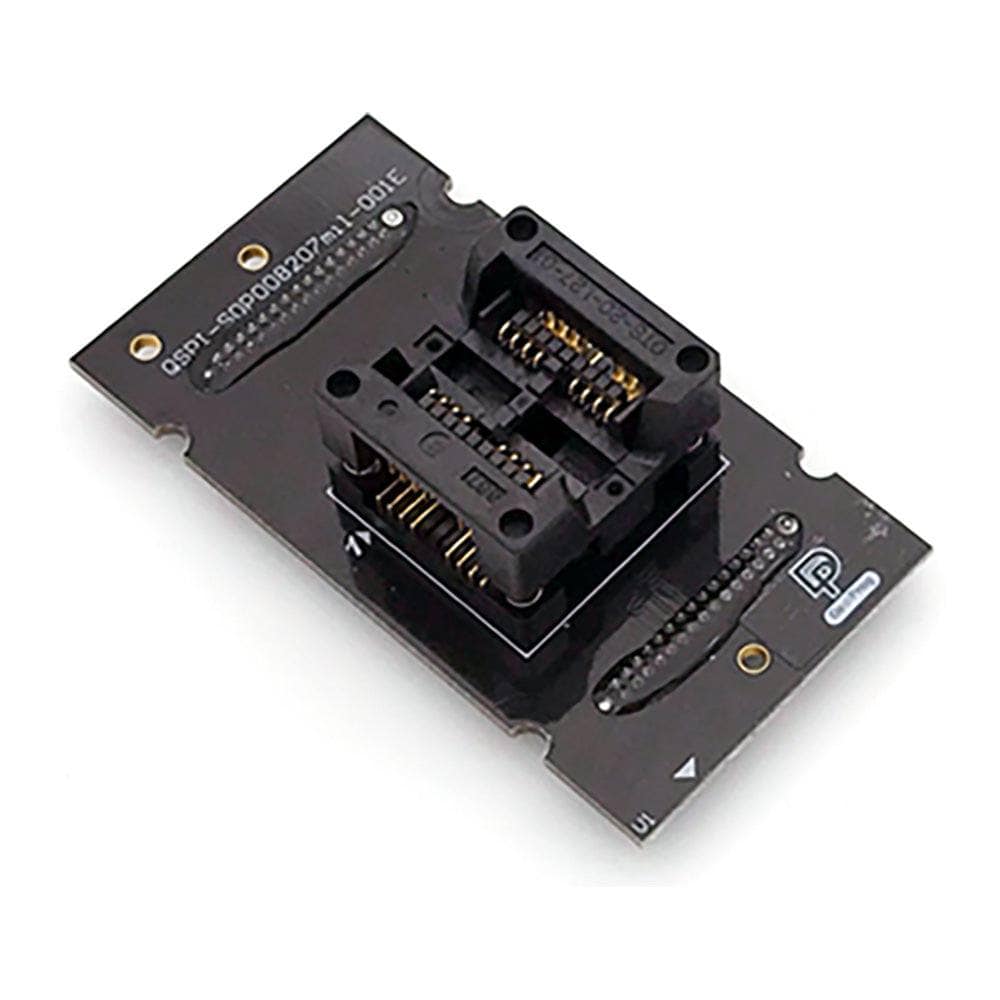
The Dediprog QSPI-SOP008207mil-001E adapter enables reliable offline programming of SPI flash memory devices housed in 207mil wide SOP08 packages. Compatible with SF600, SF600Plus, SF700, ProgMaster, StarProg, and K110 series programmers, this adapter features a precision ZIF socket for easy chip insertion and removal without damage risk.
Supporting Dediware software version 3.16.28.13 and higher, the adapter handles both SPI flash and EEPROM programming operations across single, dual, and quad IO modes. The optimised PCB design ensures consistent signal integrity whilst the open-top socket configuration provides visual confirmation of proper chip placement.
Downloads
Why Engineers Choose The Quad-SPI-Adapter für SOP08, 207mil-Geräte
Reliable Programming
Multi-mode Support
Production Ready
SOP08-Geräteadapter für Quad-SPI-Flash-Geräte mit 207 mm Breite.
Der Adapter ist für die Verwendung mit Dediprog K110, ProgMaster-U4, ProgMaster-U8, SF100, SF600, SF600Plus, SF700 und StarProg-U ausgelegt.
| General Information | |
|---|---|
Part Number (SKU) |
QSPI-SOP008207mil-001E
|
Manufacturer |
|
| Physical and Mechanical | |
Weight |
0.5 kg
|
| Other | |
EAN |
5055383699285
|
Questions and Answers
-
Which Flash Device Sizes and Types Are Supported?
It takes SOP8 207mil packages with a 5.28mm × 5.23mm body and 1.27mm pin pitch. Dediprog's compatible parts include SPI flash and EEPROM from manufacturers such as Microchip, SST and Atmel. Check Dediprog's IC Device Search for your exact part.
-
Can I Use This Adapter for In-Circuit Programming Applications?
No. This socket adapter is for offline programming of loose chips. For in-circuit programming, use Dediprog ISP cables or test clips made for on-board flash programming.
-
What Programming Modes Does the Adapter Support?
Its optimised circuitry supports Single IO, Dual IO and Quad IO programming modes.
-
How Do I Remove a Chip Safely From the Socket?
Press the top of the socket down to open the contacts, as Dediprog describes for inserting a chip, then lift the chip straight out with a pick-up tool. Avoid sideways force, which could damage the chip pins or socket contacts.
-
What Should I Do If My Flash Chip Isn't Recognised?
First make sure you're using the latest Dediprog software. If the chip still isn't supported, send its part number to Dediprog support, or to us, and ask for it to be added.
-
Which Dediprog Programmers Support This SOP08 207mil Adapter?
Dediprog lists it for these programmers:
- ProgMaster-U4
- ProgMaster-U8
- SF100
- SF600Plus-G2
- SF700
EEPROM programming needs DediWare 3.16.28.13 or later.
-
What Is the Difference Between 150mil and 207mil SOP08 Adapters?
The difference is package body width. 150mil adapters take narrower SOP08 devices (body about 3.9mm wide), while 207mil adapters take wider packages (about 5.23mm wide). Check your flash device datasheet to confirm the package width.
-
Can This Adapter Programme Both SPI Flash and EEPROM Devices?
Yes. With DediWare 3.16.28.13 or later, the adapter supports both SPI flash and EEPROM programming. It can't programme I2C EEPROM devices when used with K110 or StarProg-A programmers.
-
How Do I Properly Align the Adapter with My Programmer?
Line up the white triangle marker on the lower-left corner of the adapter PCB with the triangle marker or pin 1 indicator on your programmer's socket connector before inserting it.
-
What Precautions Should I Take When Handling Chips in the Socket?
Use a pick-up tool rather than touching the PCB directly; static electricity and dirt can cause programming errors. Make sure the chip's pin 1 marker lines up with the socket's pin 1 indicator before pressing down on the socket.

No questions match your search.