
Mikroelektronika d.o.o.
MikroE Flip&Click Board™ SAM3X | 32-bit Arduino Due Compatible
MikroE Flip&Click Board™ SAM3X | 32-bit Arduino Due Compatible
SKU: MIKROE-1984
Couldn't load pickup availability
Key Features
Overview
The Flip&Click Board™ SAM3X represents a revolutionary approach to embedded development, featuring a unique two-sided design that bridges Arduino compatibility with the extensive Click board™ ecosystem. Powered by the same 32-bit ARM Cortex-M3 AT91SAM3X8E microcontroller as the Arduino Due, operating at 84MHz, this innovative board delivers exceptional performance for demanding applications.
Dual-Personality Design
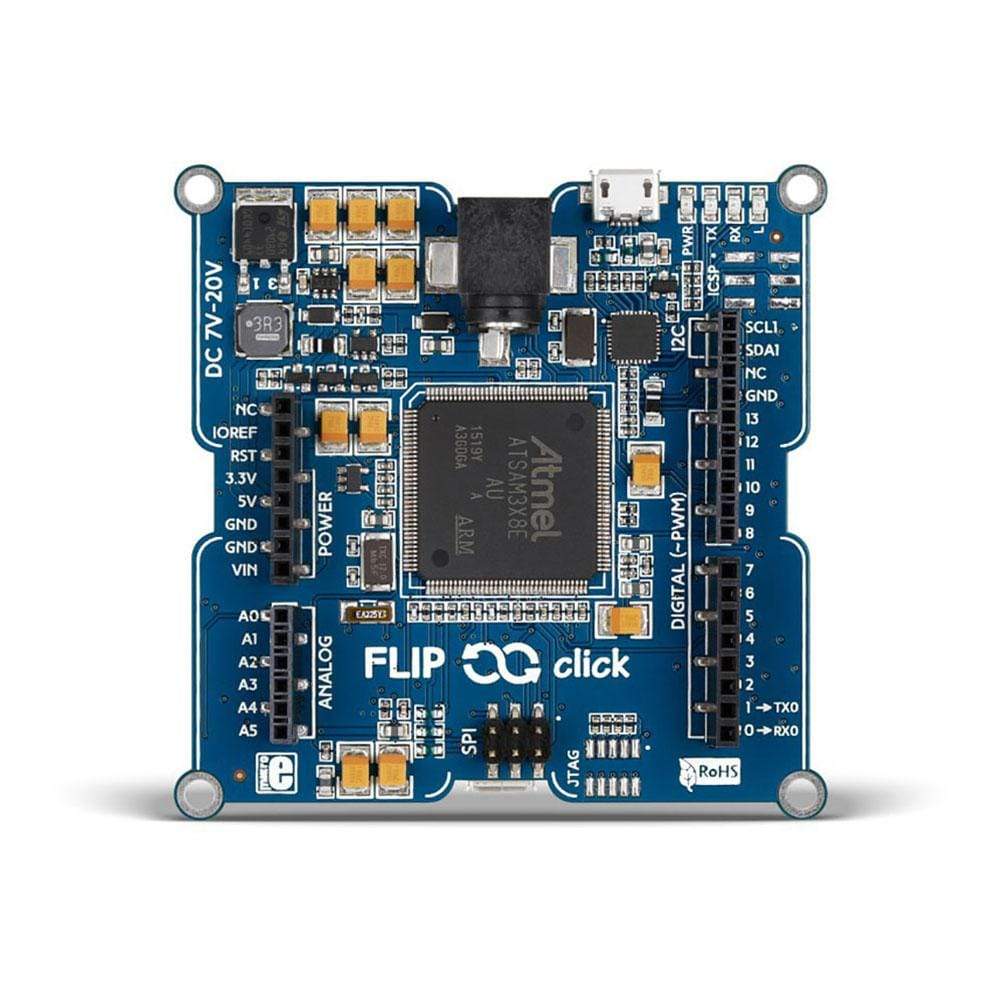
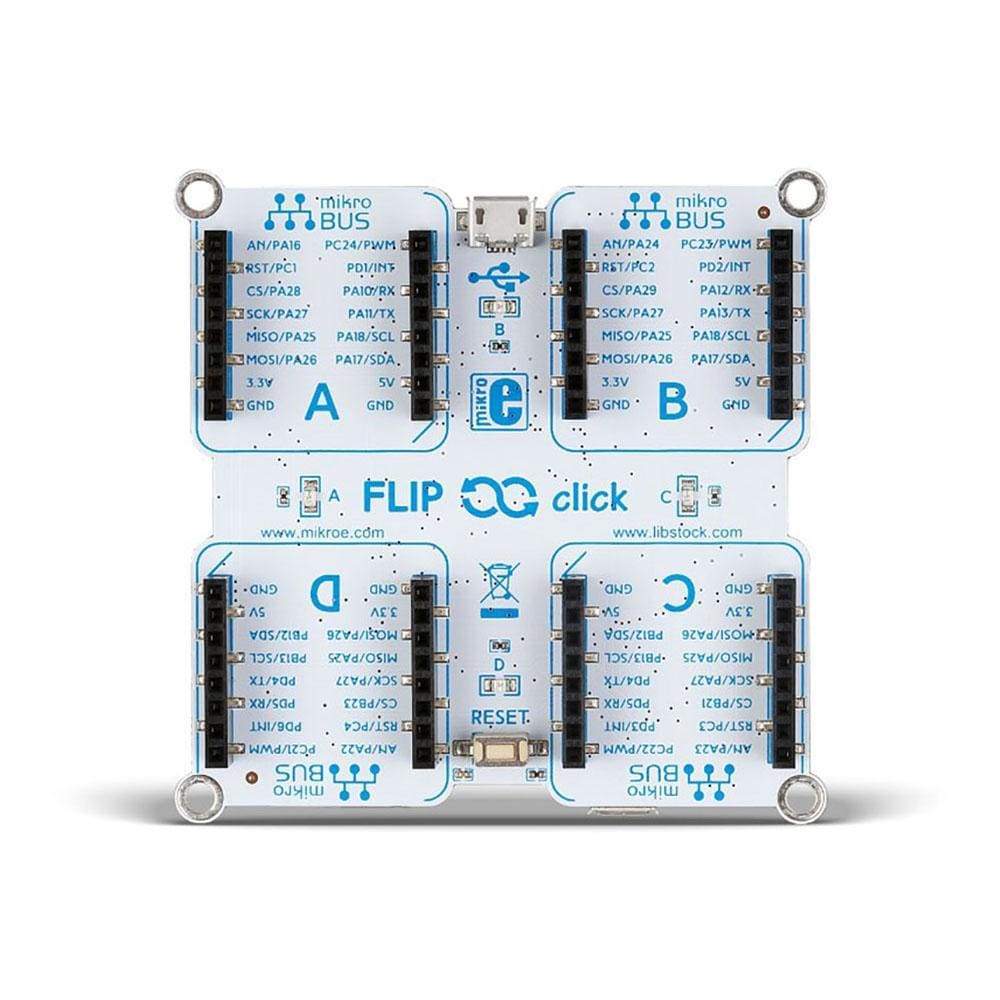
The blue side maintains full Arduino Due compatibility with standard UNO R3 pinouts, enabling seamless integration with existing Arduino shields that operate at 3.3V. When flipped, the white side reveals four standardised mikroBUS™ sockets, providing access to over 1,600 Click boards™ for unparalleled expansion possibilities.
Professional Development Features
With 512KB Flash memory, 96KB SRAM, and comprehensive I/O capabilities including 54 digital pins, 12 analogue inputs, and multiple communication protocols (SPI, I²C, UART), the board handles complex embedded projects with ease. The integrated USB OTG functionality and dual USB ports (programming and native) provide flexible connectivity options for modern applications.
Compatible with both Arduino IDE and Python development environments through Zerynth Studio, the Flip&Click Board™ SAM3X accelerates time-to-market for professional engineers whilst maintaining the accessibility that makes rapid prototyping efficient and cost-effective.
Why Engineers Choose the MikroE Flip&Click Board™ SAM3X | 32-bit Arduino Due Compatible
Rapid Prototyping Acceleration
Future-proof Expandability
Professional Performance Requirements
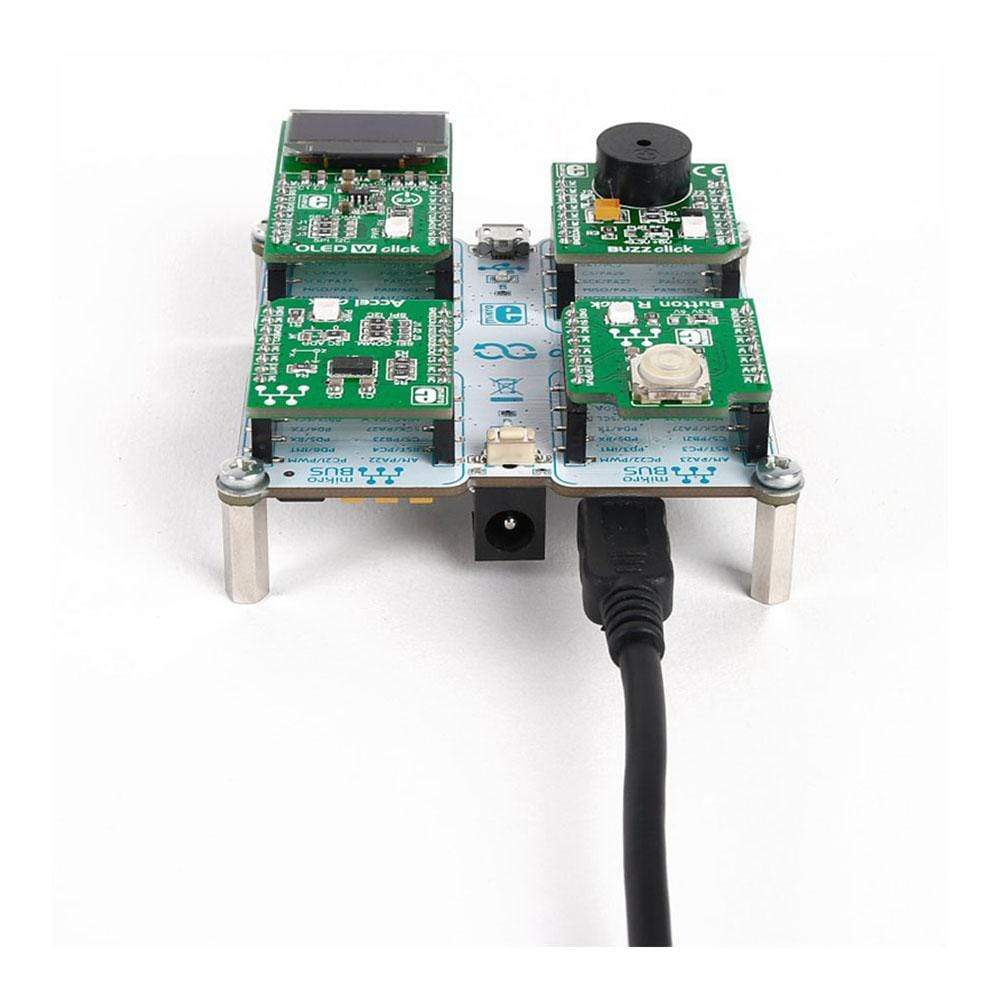
The Flip&Click SAM3X is a two-sided development board with a split personality. It can be used as a 32-bit Arduino Due powered by ARM Cortex™-M3 AT91SAM3X8E microcontroller, but it can also run Python. In either case, it's a beginner-friendly rapid prototyping tool expandable with up to four click boards (out of hundreds available).

Using FLIP&CLICK SAM3X With The Arduino IDE
- 1) Plug in Flip&Click SAM3X (use the USB port next to the power socket).
- 2) Launch Arduino IDE (Flip&Click SAM3X is recognized as Arduino Due)
- 3) Start writing Arduino sketches.
Using FLIP&CLICK SAM3X With Python
- 1) Start Zerynth Studio
- 2) Plug in Flip&Click SAM3X
- 3) Select MikroElektronika Flip & click from available boards
- 4) Click install virtual machine
- 5) Start writing Python scripts.

FLIP&CLICK SAM3X Projects / Resources
Creating sketches or scripts is easy with Flip&Click SAM3X. Our developers sometimes do it as a break from regular work. Here are some projects we have done so far. Click on the one you like to see the code on GitHub
Tech Support
Flip&Click SAM3X is Arduino's cousin, but it's not affiliated with Arduino LLC. For any questions or tech support you might need, your go-to source of wisdom is the MikroElektronika Helpdesk. We are happy to help. All we ask in return is that you have fun with your Flip&Click SAM3X.
What Are Others Saying About Flip&Click SAM3X?
"This board is too flippin' cool!" – Atmel Bits & Pieces blog
"Instead of a boring ATmega328 and unusable fixing holes, MikroElektronika provides Flip&Click with Atmel ATSAM3X8E Cortex™-M3 core and a multiple of ports and interfaces" - Make Magazine, German edition
"Flip&Click: best of two worlds" – Microcontroller-projects.com
Specifications
| Type | Flip&Click |
| Architecture | ARM (32-bit) |
| Programming | Bootloader, External |
| Silicon Vendor | Microchip |
| mikroBUS No. | 4 |
| Supply Voltage | USB,External |
| Category | Flip & Click |
| Overview | |
|---|---|
| Applications | Beginner-friendly rapid prototyping tool expandable with up to four click boards |
| Architecture | ARM (32-bit) |
| Key components | |
| MCU | AT91SAM3X8E |
| MCU speed | 84MHz |
| MCU memory | 512KB of Flash, 100KB of SRAM |
| Main IC | ATSAM3X8EA-AU (Atmel) |
| Features | |
| Integration | Mounting Holes |
| Key features | 12 MHz Crystal oscilator, 32.768 MHz Crystal oscilator |
| Expandability | 4 x mikroBUS™ sockets, 1 x Arduino UNO socket |
| Interfaces | |
| Interface | SPI, PWM, Digital pins, Analog pins |
| Programming | Via Arduino Bootloader |
| Electrical | |
| Power supply | 5V (via USB), DC 7-20V (via DC jack) |
| Compliance | |
| Country of origin | Serbia |
| RoHS | Compliant |
| Ordering information | |
| Part number (SKU) | MIKROE-1984 |
| Manufacturer | Mikroelektronika d.o.o. |
| EAN | 8606015076935 |
| Warranty | 12 months |
| Shipping weight | 0.048 kg |
-
1 ×
 MikroE Flip&Click Board™ SAM3X | 32-bit Arduino Due Compatible

Contact us to confirm the full contents of the box.
Questions and Answers
-
How Many Click Boards™ Can Be Connected Simultaneously to the Flip&Click Board™ SAM3X?
Up to four. The board has four mikroBUS™ sockets. They share some communication buses (SPI, I²C), but the pin allocation is designed to prevent conflicts.
-
What Programming Environments Are Supported by the Flip&Click Board™ SAM3X?
The board supports:
- Arduino IDE (select the Arduino Due board)
- Python through Zerynth Studio
-
Does the Flip&Click Board™ SAM3X Require Special Drivers for USB Connectivity?
MIKROE's manual says the board is recognised as an Arduino Due and does not mention separate USB drivers. For the Arduino IDE, install the Arduino SAM Boards package through the Boards Manager the first time.
-
What Is the Maximum Current Consumption of the Flip&Click Board™ SAM3X?
MIKROE does not publish a consumption figure for the board itself, and neither MIKROE nor the mikroBUS™ specification gives a per-socket current limit. Budget from the on-board regulators and your supply, and check the datasheets of the Click boards™ you connect.
-
Can the Flip&Click Board™ SAM3X Operate in Industrial Temperature Ranges?
The AT91SAM3X8E microcontroller is rated for the industrial range of -40°C to 85°C. MikroE does not publish a temperature rating for the Flip&Click board as a whole, so check the other components if you need to run it outside 0°C to 70°C.
-
Is the Flip&Click Board™ SAM3X Compatible with Standard Arduino Shields?
Yes, with Arduino shields that run at 3.3V and follow the Arduino 1.0 pinout. Shields designed for 5V may need level shifting or may not work, because the board runs at 3.3V.
No questions match your search.