Active Firmware Tools
Active-Pro Firmware-Debugger
Active-Pro Firmware-Debugger
SKU: AP-FD
Zahlungsmethoden
- Banküberweisung
Verfügbarkeit für Abholungen konnte nicht geladen werden
Key Features
Overview
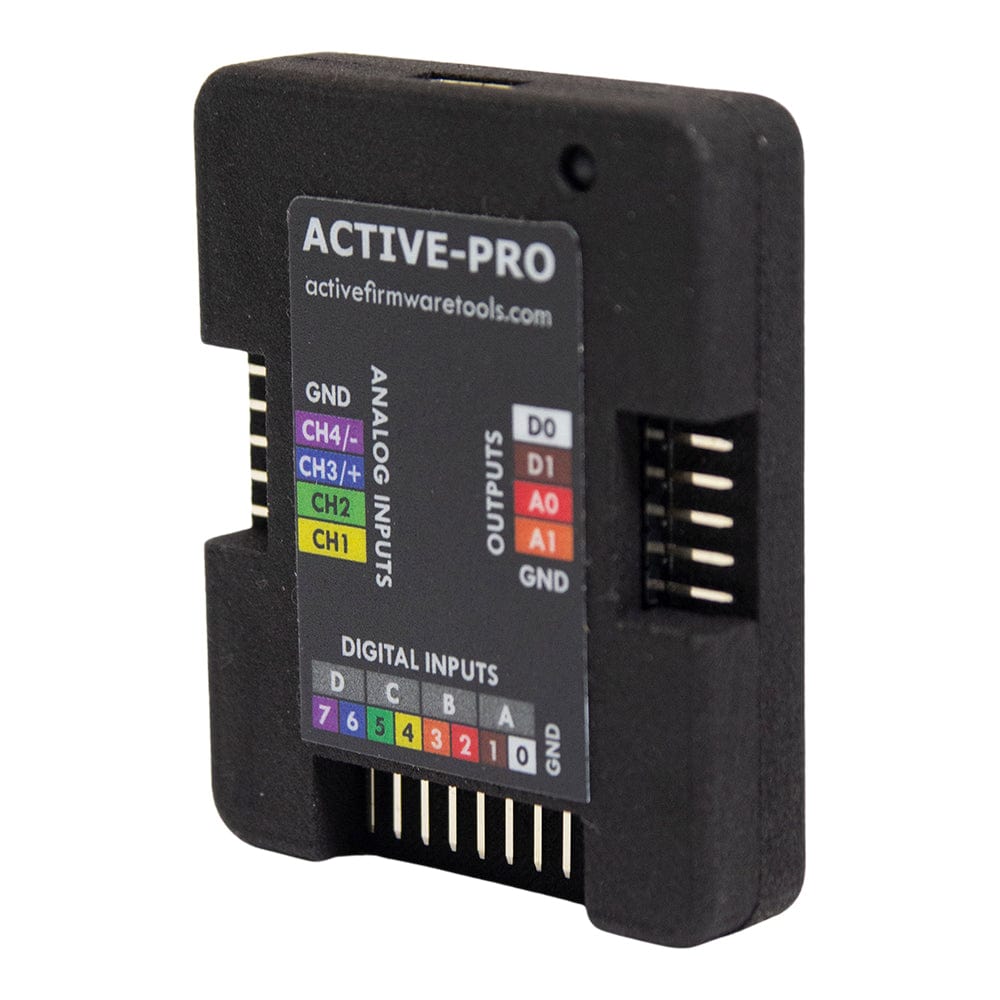
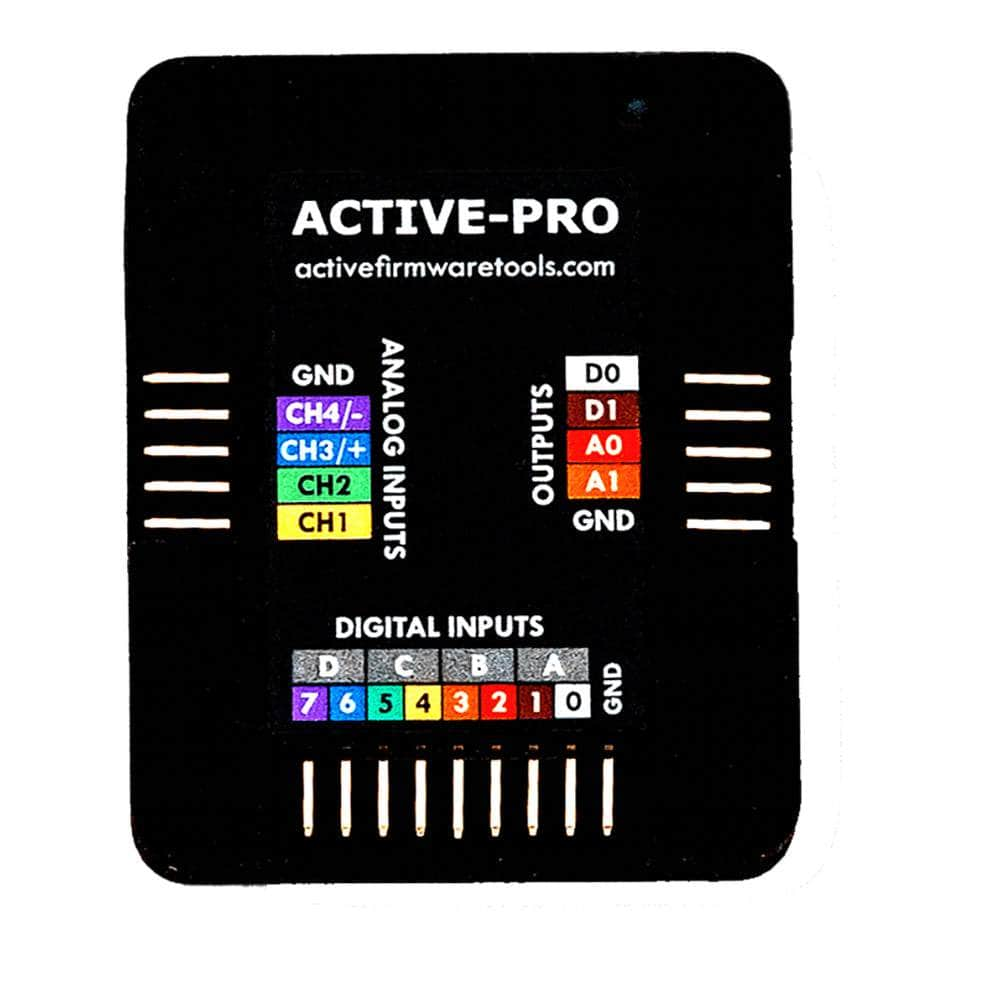
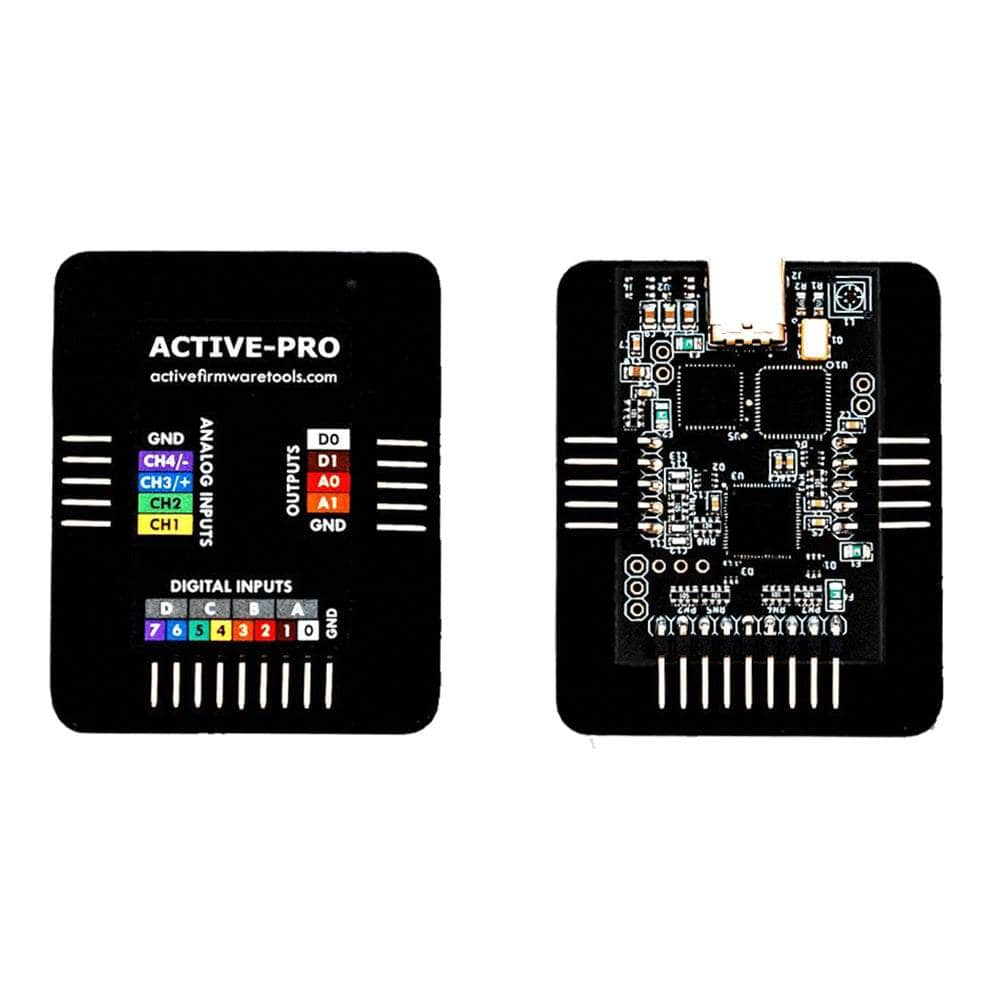
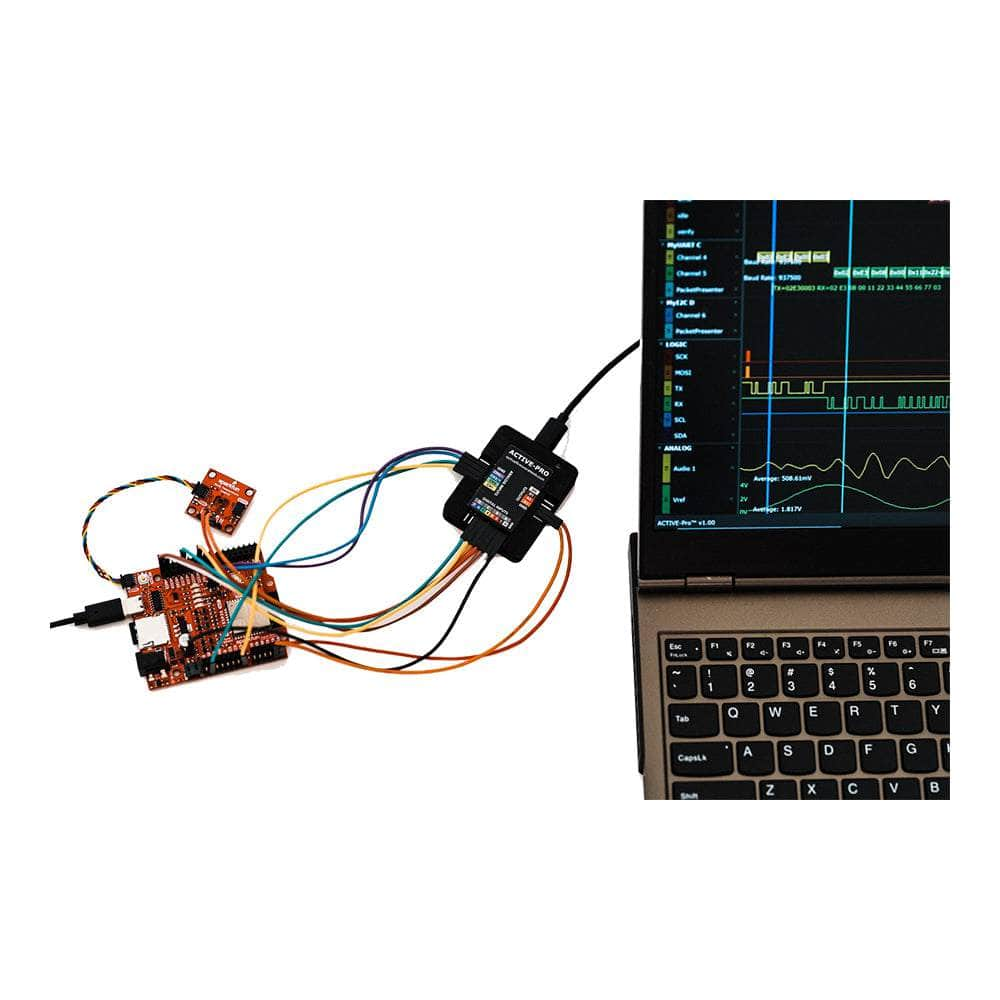
The Active-Pro Firmware Debugger (AP-FD) is a USB 2.0 firmware debugger and logic analyser from Active Firmware Tools. It captures 8 digital channels at up to 120 Msps and 3 analogue channels at up to 1 Msps alongside printf-style output streamed from up to four processors or FPGAs through its Active Debug Ports (1-wire UART or SWV, or 2-wire at up to 80 Mbit/s), all on one 1 ns timebase. Hardware decoders handle I2C, UART and SPI, Python custom decoders cover CAN, SWD, JTAG and more, and the software runs on Windows, Mac and Linux.
Why Engineers Choose the Active-Pro Firmware-Debugger
The Active-Pro Firmware Debugger (AP-FD) from Active Firmware Tools is a USB 2.0 firmware debugger and logic analyser that captures 8 digital channels at up to 120 Msps and 3 analogue channels at up to 1 Msps, time-aligned with debug output from up to four processors or FPGAs. Firmware sends text, values and events through the Active Debug Port on one or two GPIO pins, with 1 ns timestamps. It is built for firmware bring-up and multi-processor timing work, where stopping a core at a breakpoint would change the behaviour you are trying to see. It sits in our logic analysers range alongside the other Active Firmware Tools debuggers.
Active Debug Port: Firmware Output from Up to Four Processors
Four Active Debug Ports (A to D) connect to four separate processors or FPGAs at once. Each runs as 1-wire UART on a TX pin (baud rates dividing exactly from 30 MHz, such as 1 Mbaud, 500 kbaud or 250 kbaud), 1-wire SWV on the SWV/ITM pin of ARM Cortex-M parts, or 2-wire clock and data at up to 80 Mbit/s, which an SPI peripheral in transmit-only mode can drive.
Output calls exist for C, C++, MicroPython, Verilog/SystemVerilog and VHDL, with the library source published on GitHub.
8-Channel Logic Analyser with Analogue and Current Inputs
The 8 digital channels sample at up to 120 Msps, and the FPGA in the pod frames hardware-decoded protocols at up to 240 Msps before data reaches the PC. Analogue CH1 and CH2 are single-ended, 0V to 20V or ±10V. CH3 works single-ended, or CH3 and CH4 work as a differential pair across a shunt resistor for current measurement (50 mΩ to 10 Ω recommended). All analogue inputs tolerate ±30V.
The capture buffer is set from 1 MB to 1 TB in host RAM. Triggers fire on analogue or digital edges, pulse widths, or firmware data itself: a text match or a value crossing a threshold on any Active Debug Port.
Protocol Decoding and Python Custom Decoders
Hardware decoders cover I2C/SMBus, UART (8- or 9-bit, normal or inverted) and four SPI variants; software adds 1-Wire, MDIO and CHSI on any port, and LIN, RS-232 and DS101 on Port A through the analogue inputs. Python custom decoders run after capture, with examples for CAN, Modbus, SWD, JTAG, I³C, QSPI and more.
Signal Outputs, Automation and Software
Two digital outputs (0V, 3.3V or tri-state, 8 mA) and two analogue outputs (DC 0V to 3.3V; A1 also sine, ramp, triangle and square) stimulate the target. The application runs on Windows, Mac and Linux, with an Automation API and an MCP server for scripted test.
Specifications
| Host interface | USB 2.0, USB-C cable |
|---|---|
| Digital channels | 8, up to 120 Msps |
| Hardware bus decoders | Up to 240 Msps |
| Analogue channels | 3, up to 1 Msps |
| Analogue CH1, CH2 range | Single-ended, 0V to 20V or ±10V |
| Analogue CH3/CH4 | Single-ended or differential pair for current measurement |
| Analogue input tolerance | ±30V |
| Active Debug Ports | 4 (A to D), one processor or FPGA each |
| Active Debug Port modes | 1-wire UART, 1-wire SWV, 2-wire clock and data up to 80 Mbit/s |
| Timestamp resolution | 1 ns |
| Capture buffer | 1 MB to 1 TB, in host RAM |
| Digital outputs | D0, D1: 0V, 3.3V or tri-state, up to 8 mA |
| Analogue outputs | A0, A1: DC 0V to 3.3V; A1 also sine, ramp, triangle, square |
| Software | Windows, Mac, Linux |
Limitations
- Analogue sampling is 1 Msps, so it does not replace an oscilloscope for fast edges. The Active-Pro Ultra samples 6 analogue channels at up to 50 Msps.
- Firmware must be instrumented with Active Debug Port output calls. It does not halt cores, set breakpoints or program flash.
- CAN is not a built-in decoder in the current software build; use the supplied Python custom decoder example.
- Digital inputs D0 to D7 accept -0.5V to +6V sustained (±30V transient), with the logic threshold adjustable from 0V to +4V. Check your target's I/O levels against these before connecting.
Comparison with Other Active Firmware Tools Debuggers
| Model | Digital channels | Analogue channels | Active Debug Ports | Host interface | Price |
|---|---|---|---|---|---|
| Active Debugger | 2 | None | 1 | USB 2.0 | Ask us |
| Active-Pro (this product) | 8 at 120 Msps | 3 at 1 Msps | 4 | USB 2.0 | £549 |
| Active-Pro Ultra | 8 at 500 Msps | 6 at up to 50 Msps | 4 | USB 3.0 SuperSpeed | Ask us |
Typical Applications
Correlating Cortex-M state messages over SWV with the I2C sensor traffic they trigger. Logging sleep and wake events from a low-power MCU while measuring its supply current through a shunt on CH3/CH4. Timing messages between a host MCU and an FPGA on separate ports against one 1 ns timebase.
It suits firmware engineers debugging live hardware that cannot be paused.
What's Included
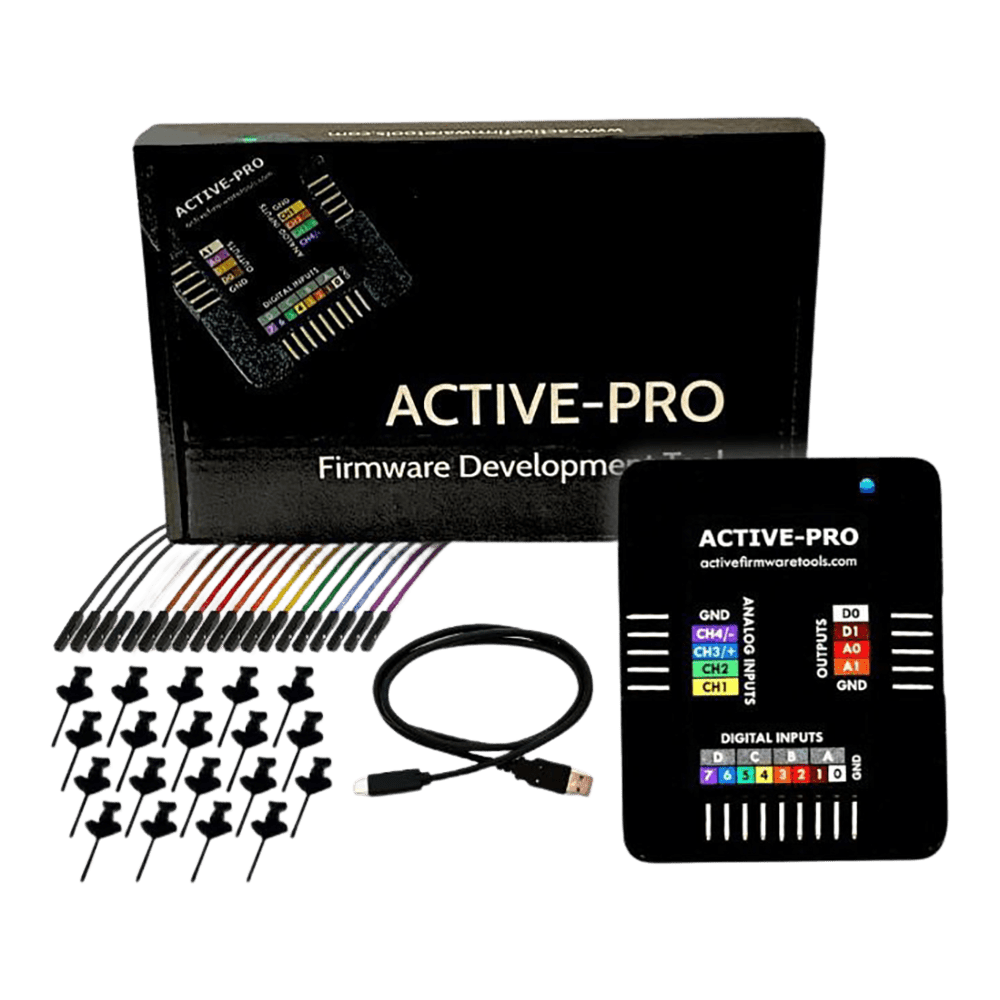
- Active-Pro pod
- 19 test clips
- Colour-coded test leads
- USB-C cable
- Storage case
Order the Active-Pro Firmware Debugger from £549 ex VAT. Try the application in demo mode first, without hardware, to check the workflow.
Frequently Asked Questions
Do I Need a JTAG or SWD Probe as Well?
Not for the Active Debug Port. It reads firmware output from a UART TX pin, two GPIO pins or the SWV pin on ARM Cortex-M parts, without halting the core. Keep your JTAG or SWD probe for flash programming and breakpoints.
Answered by John Legg, Director, Debug Store
Which Operating Systems Does the Software Support?
Windows, Mac and Linux. The USB driver installs automatically when the pod is plugged in, and the Windows installer includes a Python 3 runtime for custom decoders.
Answered by John Legg, Director, Debug Store
Can the Active-Pro Decode CAN?
Yes, through a Python custom decoder. CAN is not a built-in decoder in the current build, but the application ships with a CAN example decoder that runs after capture stops.
Answered by John Legg, Director, Debug Store
Last reviewed: 30 October 2026
| Ordering information | |
|---|---|
| Part number (SKU) | AP-FD |
| Manufacturer | Aktive Firmware-Tools |
| EAN | 5055383697243 |
| Warranty | 12 Monate |
| Shipping weight | 1.0 kg |
- 1 ×Active-Pro debugger and logic analyser pod
- 1 ×Active-Pro software application (Windows, Mac, Linux) (download)
- 1 ×USB cable (USB-A to USB-C), 3 ft (0.9 m)
- 19 ×Test clips
- 19 ×Colour-coded test leads
- 1 ×Compact storage box
Questions and Answers
-
Can the Active-Pro Debugger Work with Any Microcontroller or FPGA Platform?
Yes. Active Firmware Tools states it works on any processor or FPGA. Libraries are available for C, C++ and Python (and Verilog/VHDL for FPGAs), and the target connects through a simple 1-wire (UART) or 2-wire (GPIO) interface, so one tool covers different microcontroller families and development environments.
-
How Does Real-Time Debugging Without Code Halting Benefit Embedded System Development?
Halting code changes timing, so step-through debuggers can miss timing bugs and race conditions. Debugging without halting shows genuine behaviour in timing-critical, real-time and multi-processor systems, where stopping one processor can affect the whole system.
With the Active-Pro you observe interrupt responses, communication timing and inter-processor interactions as they happen, including issues that only appear during continuous operation or under specific timing conditions.
-
How Does the Active-Pro's Packet Presenter Feature Make Debugging More Efficient?
Packet Presenter decodes communication protocols automatically and shows the data in human-readable form.
Instead of reading hex values, you see start/stop conditions, read/write operations, register addresses and data values. Up to 64 variables per port can be graphed across the capture. This cuts the time spent on manual protocol analysis.
-
What Is the Active-Pro Firmware Debugger and How Does It Differ From Traditional JTAG Debuggers?
The Active-Pro is a multi-processor debugging tool that combines real-time firmware debugging, logic analysis, oscilloscope functions and hardware bus decoding in one device.
Traditional JTAG debuggers halt code execution. The Active-Pro lets firmware run continuously while it streams debug data from up to four microcontrollers at once. Through its Active Debug interface, your firmware outputs variables, state changes and custom messages with simple printf statements, with nanosecond-precision timestamps and no interruption to real-time operation.
-
How Many Microcontrollers Can the Active-Pro Debug Simultaneously?
Up to four processors or FPGAs at once (channels A, B, C and D). Each device supports up to 64 debug channels. You see real-time interactions and data flow between processors on a single synchronised timeline.
-
What Protocols Does the Active-Pro Hardware Bus Decoder Support?
These are decoded in hardware at 240 Msps:
- I2C/SMBus and SPI (four variants)
- UART/ASYNC (8- or 9-bit, normal or inverted), with automatic baud rate detection
- the ACTIVE Debugger and EE101 Debugger interfaces, with automatic signal detection
1-Wire, MDIO, LIN, CHSI, RS232 and DS101 are decoded in software, and custom Python decoders cover other protocols. CAN, Modbus, SWD, JTAG, I³C and QSPI are covered by the supplied Python custom decoder examples.
-
How Does the Active-Pro's Sample Buffer Depth Compare to Traditional Logic Analysers?
The buffer is set in the application from 1 MB to 1 TB (about 1 trillion samples) and is held in PC memory, so a long capture is limited by the RAM in the host rather than by a fixed on-board memory. Triggers on firmware text or values let you keep only the window that matters.
No questions match your search.
